Page 7
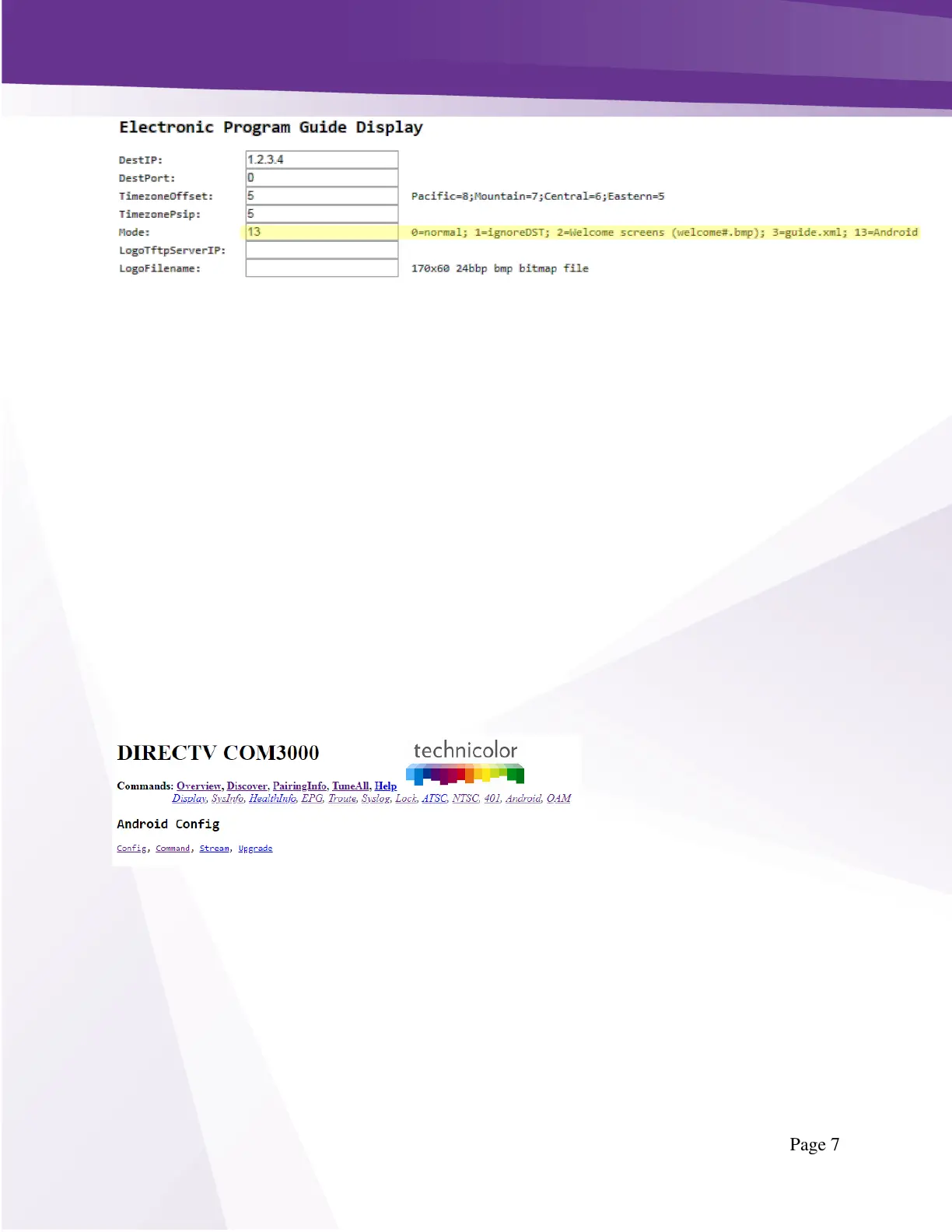
Figure 3 - EPG Guide.XML
For a QAM deployment, the DestIP would be 1.2.3.4 as shown in Figure 3 above.
For and IP Multicast deployment, the DestIP will be 226.2.3.4. This change affects the guide.xml,
config.xml, command.xml, and software updates. Be sure this multicast ip address in not in use on FTG
channels.
Allow a few minutes for the COM51 to download and format the data for this information to be
available to the UCW4026MCS.
WARNING: If you use a different COM51 to generate a scrolling guide (mode=0) then you must set
either the chassis or port to -1 for all channels on the COM51 generating the scrolling guide. Otherwise,
the COM51 will generate PSIP data in addition to the scrolling guide. The PSIP data is broadcast on the
same PIDs as the guide.xml, config.xml, command.xml, and software updates. While the system might
still work, acquiring the guide.xml and obtaining software updates will be very problematic.
Simultaneous operation of AEP boxes and PSIP data is not supported.
3.4 Set up CONFIG.XML
The CONFIG.XML file is used to send global information to a wide set of devices that are connected to
the COM51. This includes network configuration data, device settings and software updates. The
CONFIG.XML file also transmits the PIM key from the COM51 to the devices so that each device can
playback video content. Without a CONFIG.XML file, PIM encrypted content is not viewable.
Navigate to the Android tab on the COM51 interface as shown in below in Figure 4 - Android Config.
Figure 4 - Android Config
To set up a basic CONFIG.XML on the system, enter the text below in the config.xml as shown in Figure
5 - Android Config.xml.
<?xml version="1.0" encoding="UTF-8"?>
<configuration>
<system>
</system>
</configuration>
Press Submit


 To Next Page
 Loading...