Need help?
Do you have a question about the VARSITY Scoreboards ScoreComm SCM-707 and is the answer not in the manual?
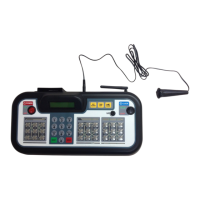
Identifies and defines key components of the scoreboard controller, including power, display, and input controls.
Details the specific functions of various keypads on the controller, such as score entry and game options.
Instructions for connecting the scoreboard controller using a wired DIN cable and AC adapter.
Instructions for connecting the scoreboard controller via a wireless transmitter and AC adapter.
Explains the functionality and information displayed on the controller's LCD screen.
Guides users on how to start a new game or continue a previously saved game session.
Procedure for selecting and changing the operational game mode on the scoreboard controller.
Overview of how to adjust various game-specific settings and options via the controller menu.
Instructions for updating team scores and the current quarter during a football game.
Details on how to track and correct remaining timeouts for each team.
Step-by-step guide to setting the primary game clock time.
Procedure to permanently set default game clock times for future games.
Steps to set the length of timeouts and display them on the scoreboard.
Instructions for displaying the time of day, which disables scoring functions.
Guidance on resetting the scoreboard for a new game and saving/retrieving game data.
 General
| Brand | VARSITY Scoreboards |
|---|---|
| Model | ScoreComm SCM-707 |
| Category | Sports & Outdoors |
| Language | English |

 To Next Page