5 / 8
3.2. DMX Control
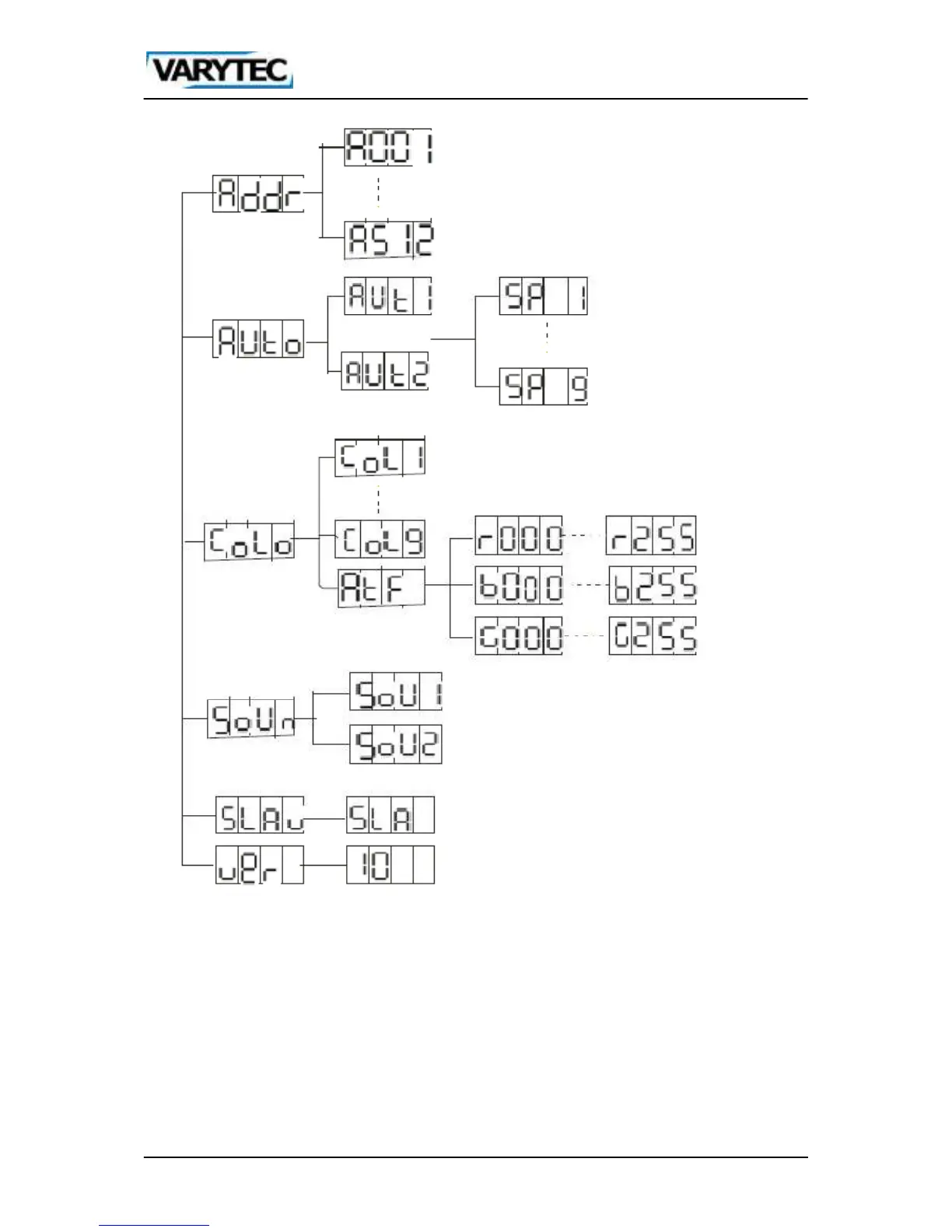
To set up your desired DMX address, first of all push ESC, then use the UP/DOWN buttons until
you see “Addr” in the display. Now press ENTER, to enter the menu. Now the display shows
“Axxx”. In this case x stands for the set dmx address. Now set up your own desired dmx address
by using the UP/DOWN buttons. Leave the menu with the ESC button.
The fixture can be controlled by dmx.


 To Next Page