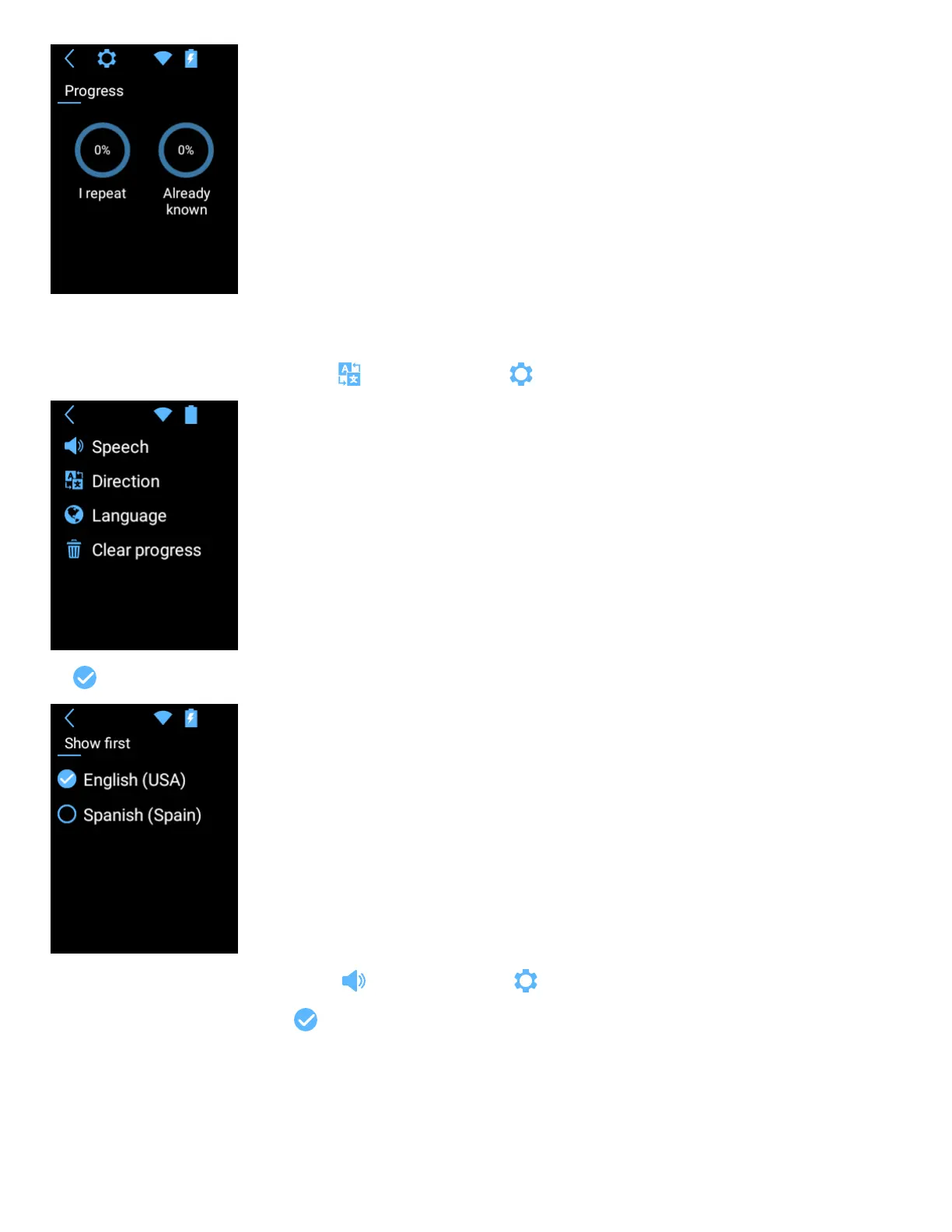
Tap Lesson to start learning.
The words in your language appear first.
You can change the language order by tapping Direction from the application settings .
Tap to change the language order.
You can also change the speech rate by tapping “Speech” from the application settings .
To disable / enable automatic pronunciation, tap .
Swipe right to speed up the pronunciation speed.
Swipe left to slow down.


 To Next Page