EasyManua.ls Logo

VAT PM-4 - User Manual

VAT PM-4
16 pages
Print Icon
To Next Page IconTo Next Page
Loading...
c
e
r
t
i
f
i
e
d
Q
M
-
S
y
s
t
e
m
g
e
p
r
ü
f
t
e
s
Q
M
-
S
y
s
t
e
m
ISO 9001
EN 29001
Installation, Operating, and Maintenance Instructions
Series 64.1
VAT Vakuumventile AG, CH-9469 Haag, Schweiz
Tel ++41 81 771 61 61 Fax ++41 81 771 48 30 Email reception@vat.ch http://www.vatvalve.com
225590EE
2005-04-26
1/16
Adaptive Pressure Controller
PM-4 & 5 for Gate Valve Control System
This manual is valid for product with the
product identification number
FABR. NO. 641PM - . 6 . . - . . . .
configured with Software Version
64PM.3I.00
The product identification is specified on the rear panel of each PM controller:
Made in Switzerland in 20 . .
Patented
641P . - . 6 . . - . . . . - . . . .
Read these «Installation, Operating and Maintenance Instructions» (IOMI) and the enclosed
«General Safety Instructions» carefully before you start any other action.
Table of content
1 Intended Use of Product..........................................................................................................................2
1.1 Technical Data................................................................................................................................. 2
2 Installation............................................................................................................................................... 2
2.1 Content of VAT PM Controller Delivery ............................................................................................ 2
2.2 Hardware Installation ....................................................................................................................... 2
2.3 PM Configuration (setup sequence) .................................................................................................4
3 Operation ................................................................................................................................................ 5
3.1 Local Mode (PM-4 with Service Box only) ........................................................................................ 5
3.2 Remote Mode (PM-5 if Interface installed only) ................................................................................ 5
3.3 Power Failure / Power Failure Option (PFO)..................................................................................... 5
4 Preventive Maintenance .......................................................................................................................... 6
5 Spare Parts / Retrofit Options ..................................................................................................................7
6 Trouble Shooting..................................................................................................................................... 7
7 Repairs....................................................................................................................................................8
8 Warranty ................................................................................................................................................. 8
9 Engineering Information...........................................................................................................................9
9.1 Wiring of Connectors ....................................................................................................................... 9
9.2 RS232C Interface Configuration..................................................................................................... 12
9.3 RS232C Communication................................................................................................................ 12
9.4 User Information and Recommendations........................................................................................16
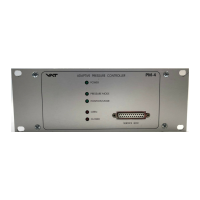
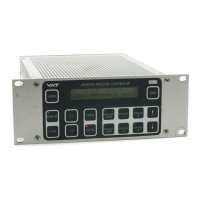
PM-5
PM-4

Questions and Answers

  • Z
    Zachary JonesAug 21, 2025
    Why is pressure control not optimal after LEARN command on VAT PM-4 Controller?
    • E
      Eric StoneAug 21, 2025
      If pressure control is not optimal after the LEARN command on your VAT Controller, consider the following: 1. The PM controller reoptimizes parameters for each set point; repeat the pressure control command after adaption is completed. 2. Ensure a ZERO command was performed before the LEARN command. 3. If the LEARN command was performed with a different gas flow, repeat the LEARN sequence. 4. Verify the sensor range is suited for the application ( >3% of f.s.). 5. Check for noise on the sensor signal, inspect the sensor voltage, and ensure a shielded sensor cable is used.
  • J
    Justin VargasAug 25, 2025
    What to do if ZERO command does not work on VAT PM-4 Controller?
    • K
      Katherine MurphyAug 25, 2025
      If the ZERO command is not working on your VAT Controller, verify that the valve is in the open position. Open the valve and bring the chamber to a high vacuum. Also, check the sensor setup («LEARN» & «ZERO») to ensure the ZERO command is not disabled.
  • S
    Shelby ParkerAug 26, 2025
    Why VAT Controller does not respond to RS 232 commands?
    • W
      wgarnerAug 26, 2025
      If the VAT Controller does not respond to RS232 commands after installing the RS232C interface: * Verify the settings of the switch S1 on the RS232C interface are correct. * Confirm that the RS232C interface is installed correctly; ‘MIXED’ should be displayed on the LCD display during start-up. * Confirm that the PM controller is in REMOTE. * Note that logic inputs on the RS232C interface override RS232 commands.
  • M
    Mary RoyAug 28, 2025
    How to fix VAT Controller when it does not respond to keyboard commands?
    • J
      Jason JacobsonAug 28, 2025
      If the VAT Controller does not respond to keyboard commands, check if the control is in REMOTE mode. If so, switch the PM controller to LOCAL mode.
  • H
    Heidi MorrisAug 30, 2025
    Why pressure reading is wrong on VAT PM-4 Controller?
    • J
      Jeffrey CastilloAug 30, 2025
      If the pressure reading is wrong (negative pressure reading) on your VAT Controller, confirm that the sensor setup is correct by pressing «LEARN» & «ZERO». If a base vacuum is reached and the pressure reading is off, perform the ZERO command.
  • M
    mathissabrinaSep 1, 2025
    What does ‘E’ on VAT PM-4 Controller mean?
    • A
      Amy CookSep 1, 2025
      If ‘E’ is displayed on the front panel of your VAT Controller when the valve is open or in control mode, it could be due to a mechanical obstruction preventing the pendulum plate from reaching the end position. Also, check the valve installation, ensuring the torque on the valve flange mounting screws is not too high. Inspect and clean the valve.
  • A
    Amber FranklinSep 3, 2025
    What to do if VAT PM-4 Controller displays ‘PAR:ER’ or flashing ‘P’?
    • S
      Sara HughesSep 3, 2025
      If ‘PAR:ER’ or a flashing ‘P’ is displayed on your VAT Controller, a new auto learning process should be performed. If the error persists after auto learning and a power disruption, replace the battery-powered SRAM memory.
  • L
    landersonSep 5, 2025
    Why VAT PM-4 display is not ‘0’ after ZERO command?
    • M
      Monica HigginsSep 5, 2025
      If the display is not ‘0’ after performing the ZERO command on your VAT Controller, it could be due to the sensor offset voltage being larger than ±1.4V, or the system may not be pumped to base pressure.
  • H
    hunterjoelSep 7, 2025
    How to fix no or weak text on VAT Controller LCD display?
    • S
      suzanneosborneSep 7, 2025
      If there is no or weak text on the LCD display of your VAT Controller, adjust the brightness using the «F1» & «F2» & «?» keys.
  • B
    Brett RaySep 10, 2025
    Why VAT PM-4 Controller does not respond to logic inputs?
    • J
      John MitchellSep 10, 2025
      If the VAT Controller does not respond to logic inputs after installing the LOGIC interface, switch to «REMOTE». Also, verify that the logic Interface is installed correctly; ‘LOGIC’ is displayed on the front panel during start-up.

VAT PM-4 Specifications

General IconGeneral
BrandVAT
ModelPM-4
CategoryController
LanguageEnglish

Related product manuals