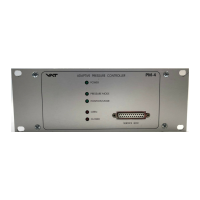
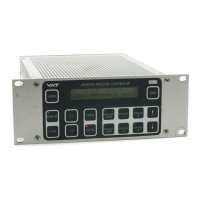
The product identification is specified on the rear panel of each PM controller:
Made in Switzerland in 20 . .
Patented
641P . - . 6 . . - . . . . - . . . .
Read these «Installation, Operating and Maintenance Instructions» (IOMI) and the enclosed
«General Safety Instructions» carefully before you start any other action.
Table of content
1 Intended Use of Product..........................................................................................................................2
1.1 Technical Data................................................................................................................................. 2
2 Installation............................................................................................................................................... 2
2.1 Content of VAT PM Controller Delivery ............................................................................................ 2
2.2 Hardware Installation ....................................................................................................................... 2
2.3 PM Configuration (setup sequence) .................................................................................................4
3 Operation ................................................................................................................................................ 5
3.1 Local Mode (PM-4 with Service Box only) ........................................................................................ 5
3.2 Remote Mode (PM-5 if Interface installed only) ................................................................................ 5
3.3 Power Failure / Power Failure Option (PFO)..................................................................................... 5
4 Preventive Maintenance .......................................................................................................................... 6
5 Spare Parts / Retrofit Options ..................................................................................................................7
6 Trouble Shooting..................................................................................................................................... 7
7 Repairs....................................................................................................................................................8
8 Warranty ................................................................................................................................................. 8
9 Engineering Information...........................................................................................................................9
9.1 Wiring of Connectors ....................................................................................................................... 9
9.2 RS232C Interface Configuration..................................................................................................... 12
9.3 RS232C Communication................................................................................................................ 12
9.4 User Information and Recommendations........................................................................................16
PM-5
PM-4


 To Next Page
 General