24
B
C
8.2,
EXTRA SETTING.
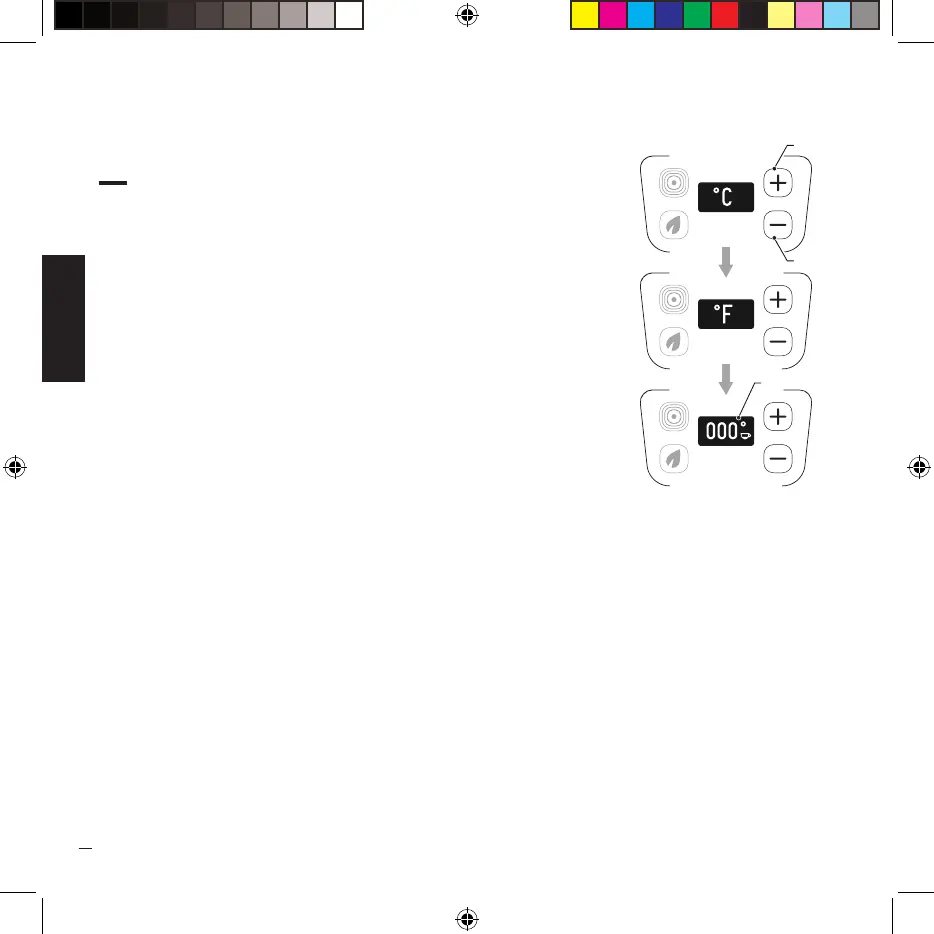
· This setting allows you to change the temperature unit of
measurement (°C or °F), the machine is set by default with the
celsius unit of measurement (°C)
· To change the unit of measurement, press and hold down the key
(A) for 5 seconds until the keys (A) and (B) turn yellow.
· At this point, change the unit of measurement by pressing the
keys (A) and (B).
· Confirm the change of measurement unit by pressing and holding
key (A) for 5 seconds until screen (C) appears on the display.


 To Next Page