10 - VB3i Dynamic Modes
The VBOX has three dynamic modes. These dynamic modes directly change the SMI smoothing index applied by the
GPS engine to all Doppler-derived data, notably speed and heading. The lower smoothing levels have a higher dynamic
response but are adversely noisier.
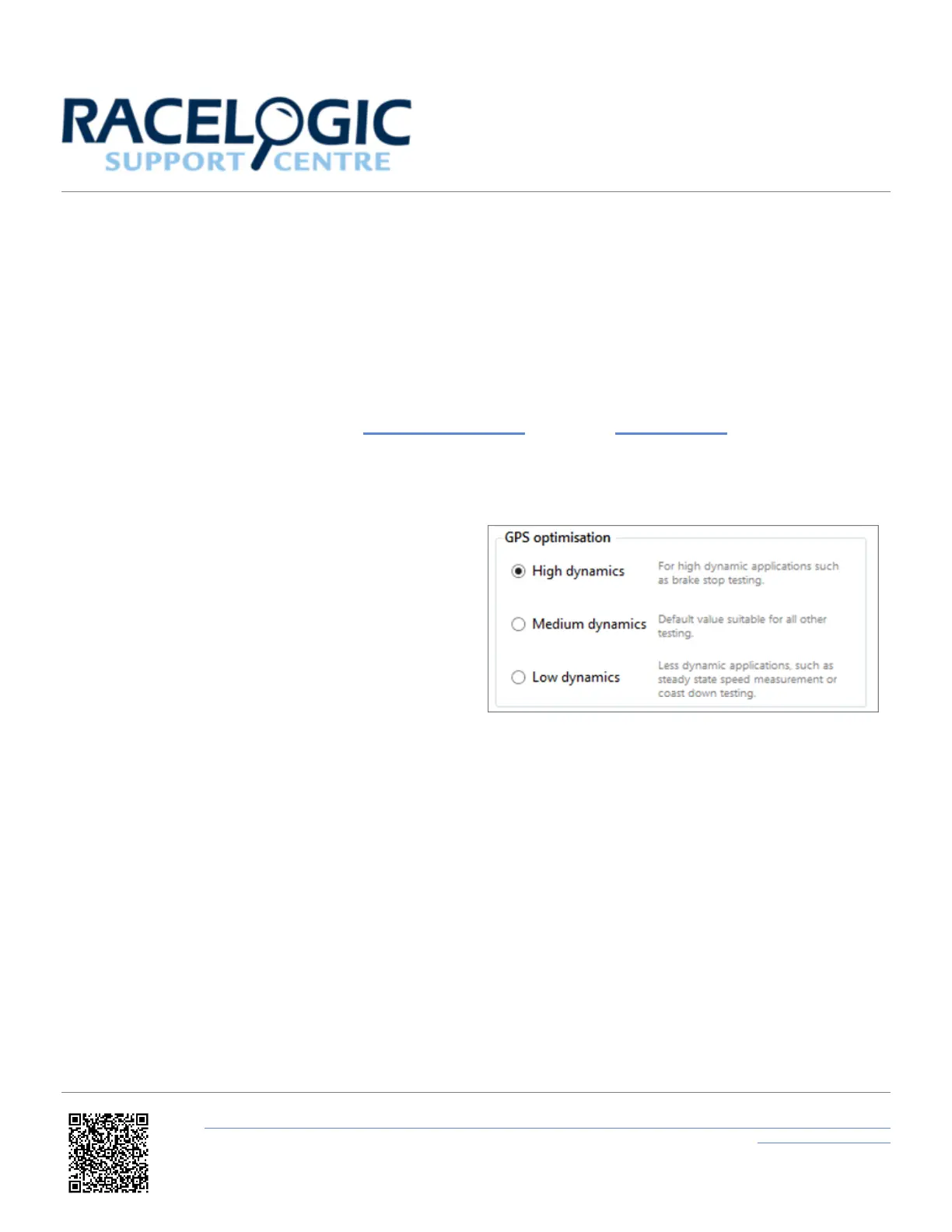
The dynamic mode can be changed via the VBOX Setup Software or using the VBOX Manager. The three options
are:
• High dynamics: The ‘High dynamics’ setting
should be used for high accuracy trigger brake
stops or any test where time and distance are
critical and the vehicle test incorporates highly
dynamic manoeuvres.
• Medium/ Normal dynamics: The 'Medium' or
‘Normal’ mode should only be used for any testing
that does not involve any high
dynamic manoeuvres.
• Low dynamics: The ‘Low dynamics’ mode can be
used for smoother velocity and heading data and
less acceleration noise only in lower dynamic tests.
https://en.racelogic.support//Product_Info/VBOX_Data_Loggers/VBOX_3i_Range/VBOX_3i_User_Guide_(All_Variants)/10_-
_VB3i_Dynamic_Modes
48


 To Next Page