11 - VB3i DGPS / RTK
For more information on what DGPS is and how it works, click here. For more information on RTK, click here.
VBOX 3i now supports an RTK connection using NTRIP. For more information on how this is set up, click here.
How to enable DGPS Modes
VB3i must have the correct DGPS mode enabled via the VBOX Setup Software or using the VBOX Manager before it
is capable of receiving and using the DGPS correction information transmitted by a Local Base
Station or NTRIP service.
Setup using VBOX Setup
1. Run the latest VBOX Setup software.
2. Select the correct COM Port and go to the 'GPS' menu.
3. Go to the 'DGPS/ RTK' option and select the correct DGPS mode and baud settings from the available options.
4. Select 'Write to unit' to upload settings to VB3i.
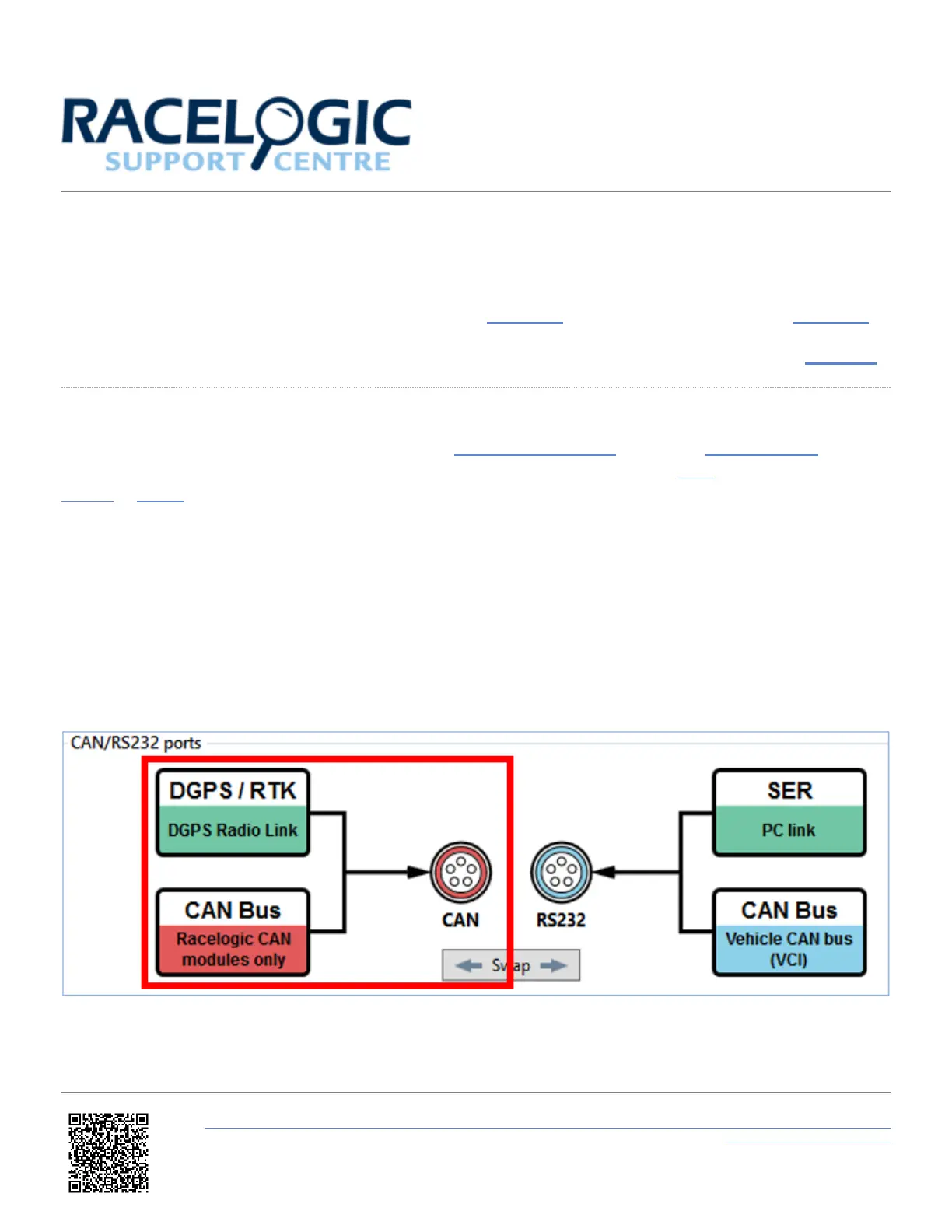
Note: Ensure that DGPS / RTK is assigned to the CAN port within the 'CAN' menu.
Setup using VBOX Manager
1. Enter 'SETUP', select 'VBOX' and then 'DGPS Mode'.
https://en.racelogic.support//Product_Info/VBOX_Data_Loggers/VBOX_3i_Range/VBOX_3i_User_Guide_(All_Variants)/11_-
_VB3i_DGPS_%2F%2F_RTK
49


 To Next Page