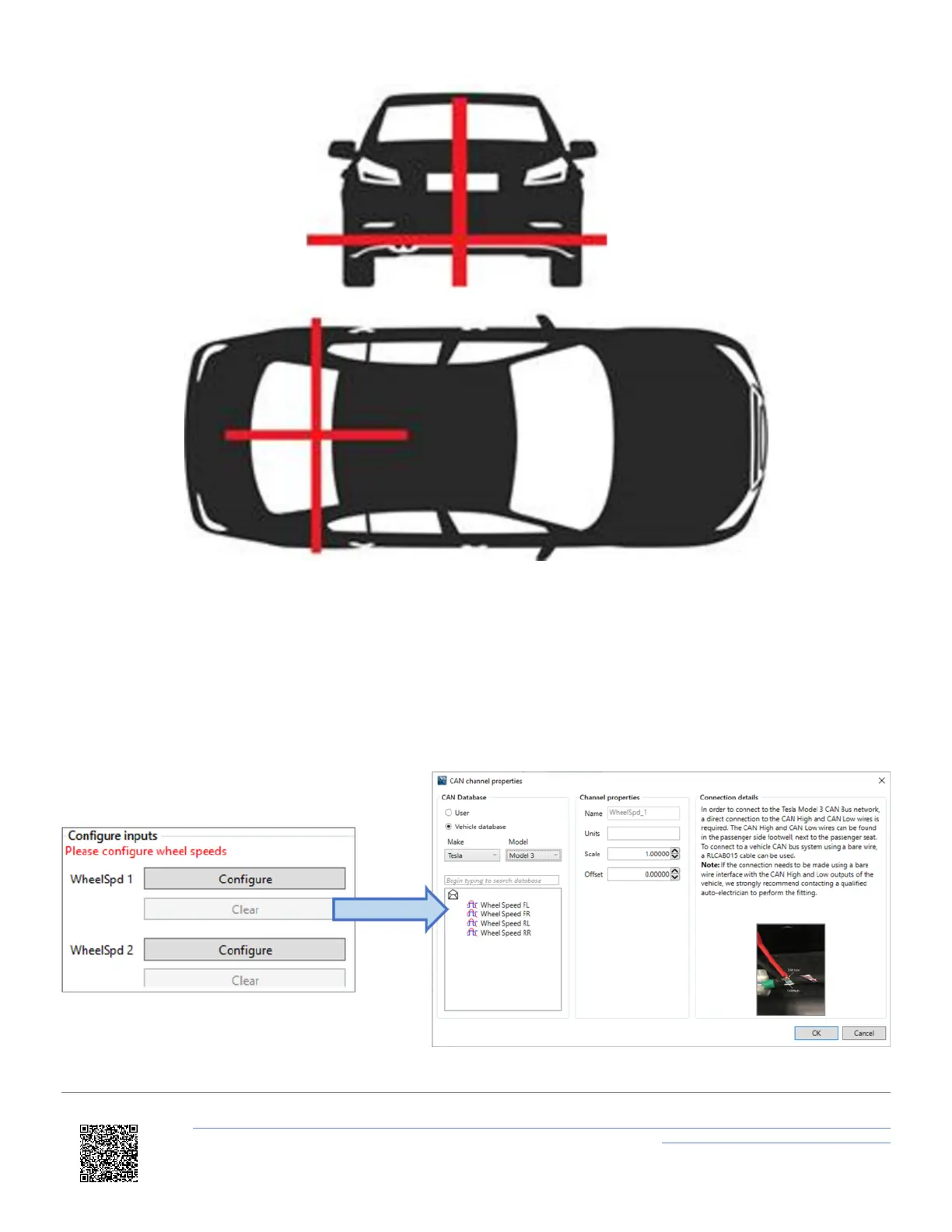
7. Use the Wheel speed 1 and 2 'Configure' buttons to open up the CAN setup area where you can load in a .dbc file
or manually set up the CAN parameters by selecting the 'User' option. Alternatively, selecting 'Vehicle
database' enables you to browse the Racelogic Vehicle CAN database within the software and select your
vehicle. Once selected, CAN channels specific to your vehicle will appear on the left. If available, CAN
connection information for the vehicle will also appear on the right of the window. Click on a wheel speed channel
and select 'OK' to save the configuration. Repeat for the other wheel speed channel.
https://en.racelogic.support//Product_Info/VBOX_Data_Loggers/VBOX_3i_Range/VBOX_3i_User_Guide_(All_Variants)/12-2_-
_VB3i_IMU_Integration_-_Roof_Mounted
87


 To Next Page