8. Select 'Write to unit' to save the settings.
VBOX Manager
1. Ensure IMU04 is connected via RLCAB119, and the VBOX 3i is powered on.
2. Connect VBOX Manager to the VBOX.
3. Enter the 'SETUP' menu of VBOX Manager.
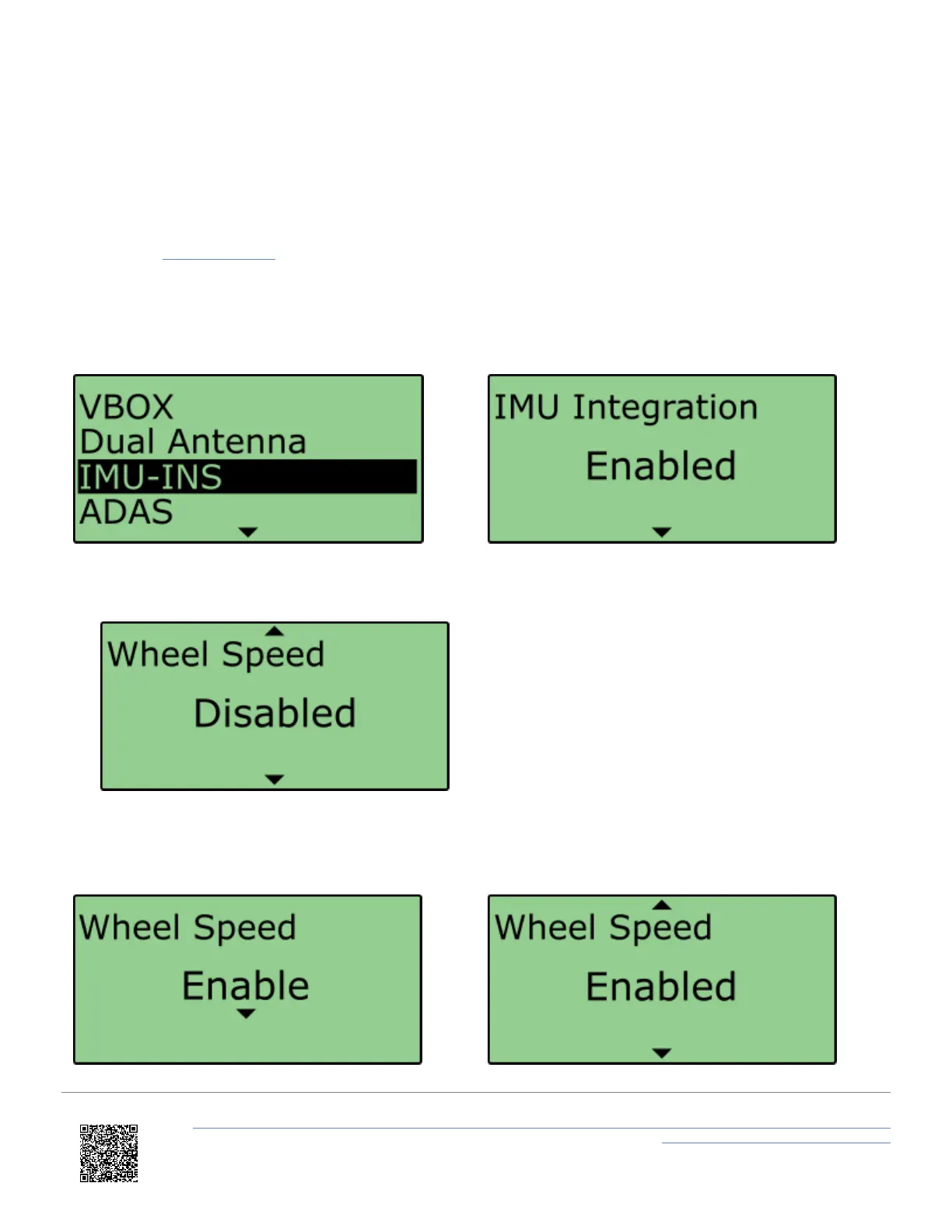
4. Select 'IMU-INS' and then click on the 'IMU Integration' menu.
6. Scroll to the 'Wheel Speed' menu and select.
7. Choose 'Enable' and select. Once the 'OK' confirmation screen has cleared, 'Enabled' will be displayed.
https://en.racelogic.support//Product_Info/VBOX_Data_Loggers/VBOX_3i_Range/VBOX_3i_User_Guide_(All_Variants)/12-2_-
_VB3i_IMU_Integration_-_Roof_Mounted
88


 To Next Page