31
Press to select the function icon, press OK
to confirm the function.
Press or EXIT to exit the control bar.
Press "INFO" or "OK" to display the control bar again.
NOTE:
Choose the Info icon and press OK
to display the Info MENU.
8.EPG Menu(Electronic Program
Guide)
The EPG menu is used to look at what is being
broadcasted on DTV channel.
To access the EPG menu, press EPG button,
the following menu will be displayed:
1.
Use to choose the programs , Press
INFO key, you can display the highlighted program's
information.
INFO
2.
Press yellow key, the entire reminder schedule
will be listed. Press to choose the list, press
red key to delete the schedule list.
Press EPG to return to EPG menu.
Schedule
DELETE
3.
Press the blue key to choose one program
and set up one reminder time, the TV screen will
show the selected program in the reminder time
automatically.
Reminder
Schedule List 04:55 28th Apr Delete
Time Date
Programme Title
Channel Name
11 Home
15 Minute
16 Hour
Aug Month
16 Date
Once Mode
Reminder
BACK
OK
_
+
Below photo formats are supported:
—JPEG(JPEG format, files with the extension ".jpg" )
—BMP (files with the extension ".bmp")
—PNG (files with the extension ".png")
Below music formats are supported:
—MP3 (files with the extension ".mp3")
—WAV (files with the extension ".wav")
Below video formats are supported:
—AVI (files with the extension ".AVI")
—MP4 (files with the extension ".MP4")
—TS (files with the extension ".TS")
Below text formats are supported:
—TEXT (files with the extension ".txt")
Note:Only supported the traditional
Chinese with Unicode format.
Press OK to save the reminder.
Pause FF Prev. NextFB Stop
Repeat ALL
00:00:33/00:04:22
MUTE
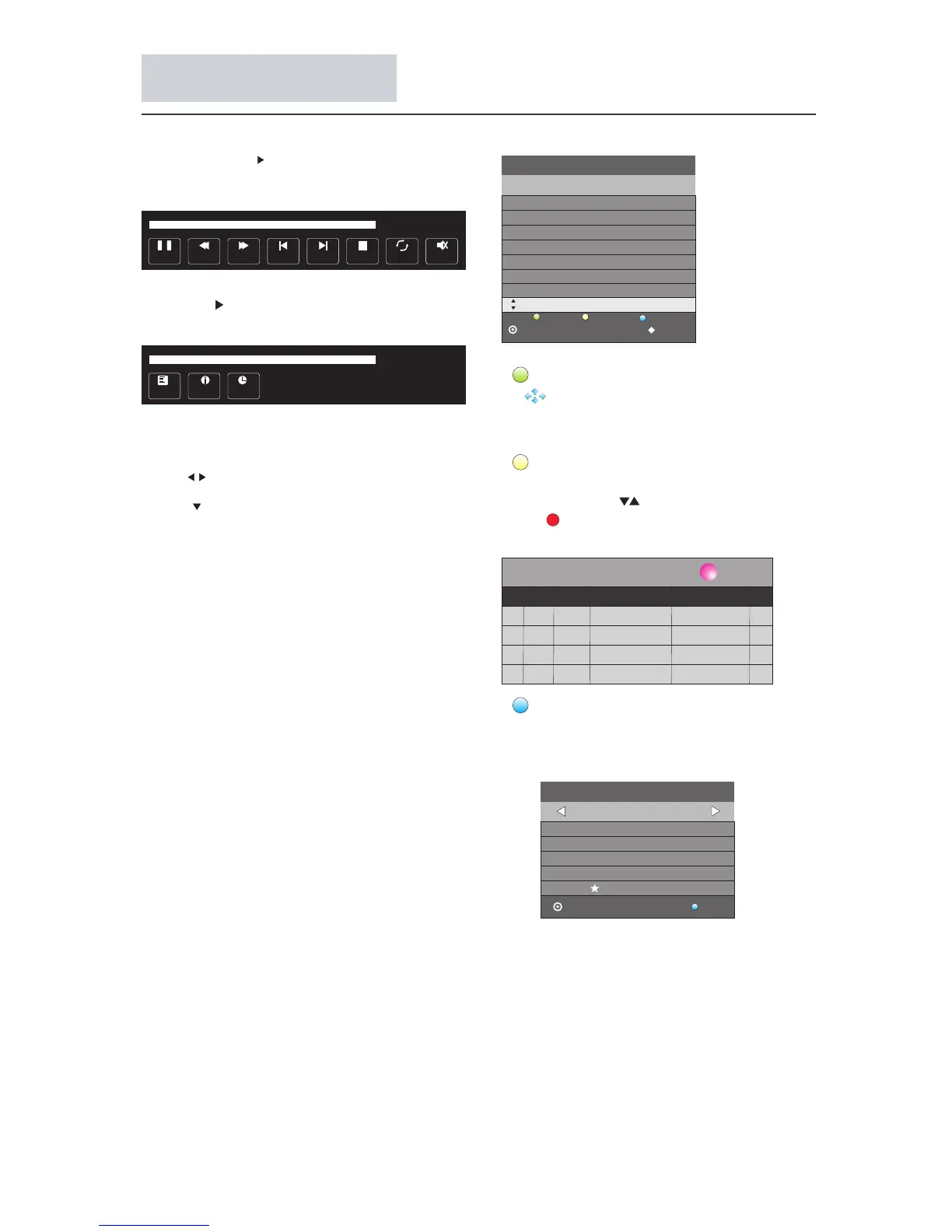
Press the button to play the media file in full
screen, the following control bar will be
displayed on the screen.
Press the cursor on the remote control to display
the other options on the control bar.
The options available in the control bar will be
different when "Photo" is selected from the external
USB device.
Playlist
00:00:48/00:04:22
Info.
Goto Time
24 / Sep 15:12
11 Home Wealth Blog(C)
PROGRAMME GUIDE TIME
ScheduleInfo
Reminder
OK
INDEX
12 HD a TV Wealth Blog(HD)(C)
13 TVS Afternoontea time show
14 CTI-Asia New Talwan Star Avenue
15 CCTV 4 TV Drama
16 World ETV
81 Jade The Green Room
82 J2 Lovey Dovey My Fiji
TEXT
MHEG-5 data broadcast is scheduled in Hong Kong.
You can watch a MHEG-5 data broadcast after
pressing the TEXT button.
Menu Operation



 To Next Page