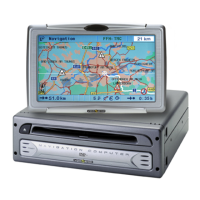
RC 5400
1 VOICE / ALT-R . . . Press briefly: Calls up the current audible guidance message.
Press and hold: Switches to the “Alternative Route” menu.
2 4, 6, 8, 2 . . . . . Cursor buttons, move the cursor in the menus.
3 OK . . . . . . . . . . . . Confirms a selection.
4 ESC . . . . . . . . . . . Press briefly: Jumps back to the previous menu.
Press and hold: Jumps directly to the Start Menu.
5 NAVIGATION . . . . Press briefly: Switches the display type of the guidance screen.
Press and hold: Moves directly to the Start Menu.
6 ENTERTAIN . . . . . Press briefly: Calls up the previously used entertainment source.
7 FAVOURITE . . . . . This button is freely programmable to provide direct access to
selected functions. Detailed information on programming this
button can be found in the “Settings” section, page 32.
8 W, V . . . . . . . . . Volume setting.
9 HOME . . . . . . . . . Press briefly: Adopts the address stored under “Home” for
directional guidance.
Press and hold: Adopts the address stored under “Work” for
directional guidance.
The buttons y, z and x have no function in relation to the navigation system.
Operation
7


 To Next Page