LVP603
LVP603
LVP603
LVP603 User
User
User
User
’
’
’
’
s
s
s
s Manual
Manual
Manual
Manual
---------------------------------------------------------------------------------------------------
---------------------------------------------------------------------------------------------------
---------------------------------------------------------------------------------------------------
---------------------------------------------------------------------------------------------------
LED
LED
LED
LED VIDEO
VIDEO
VIDEO
VIDEO PROCESSOR
PROCESSOR
PROCESSOR
PROCESSOR
15
Item 13: ”
PIP_Frame
PIP_Frame
PIP_Frame
PIP_Frame
”
User can set frame mode in PIP image window of LVP603 . There
are 4 setting options, i.e.: “ No frame ” , “ black 2 line ” , “ white 2 line ” and
“ blue 2 line ” .
Item 14: ”
POP_Height
POP_Height
POP_Height
POP_Height
”
LVP603
LVP603
LVP603
LVP603 allows users to set POP
POP
POP
POP image height by themselves. L ike
items 9~12, this value doesn ’ t represent the actual LED pixels. Its
minimum value is 128. When this value is less than the maximum
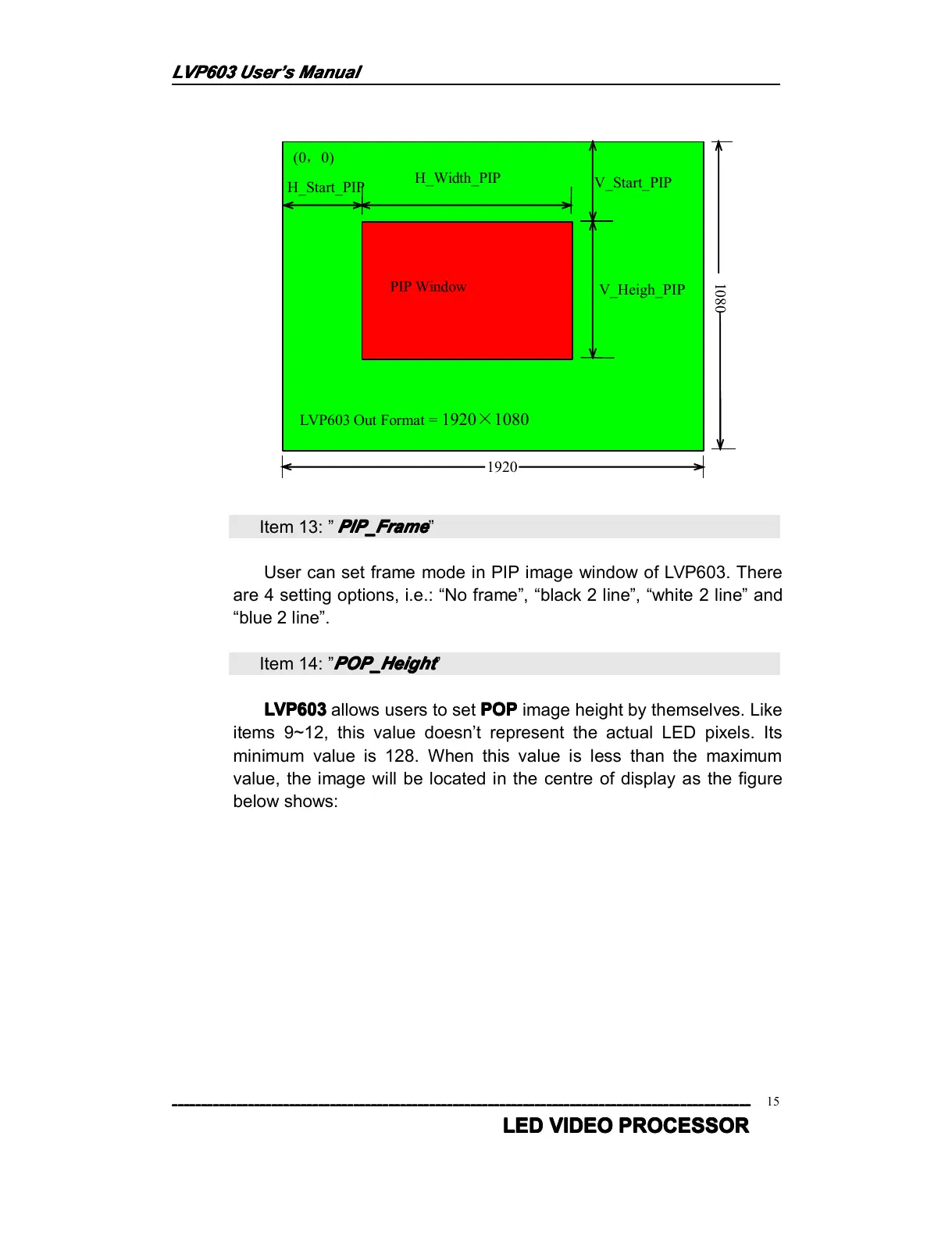
value, the image will be located in the centre of display as the figure
below shows:
(0 , 0)
H_Start_PIP
H_Width_PIP
V _ Start_PIP
V_Heigh_PIP
LVP603 Out Format = 1920 × 1080
1920
1080
PIP Window



 To Next Page