LVP603
LVP603
LVP603
LVP603 User
User
User
User
’
’
’
’
s
s
s
s Manual
Manual
Manual
Manual
---------------------------------------------------------------------------------------------------
---------------------------------------------------------------------------------------------------
---------------------------------------------------------------------------------------------------
---------------------------------------------------------------------------------------------------
LED
LED
LED
LED VIDEO
VIDEO
VIDEO
VIDEO PROCESSOR
PROCESSOR
PROCESSOR
PROCESSOR
16
6.
6.
6.
6. Text
Text
Text
Text Overlay
Overlay
Overlay
Overlay Setup
Setup
Setup
Setup
Item 15:
“ Text
Text
Text
Text Mode
Mode
Mode
Mode ”
LVP603
LVP603
LVP603
LVP603 allows user to set caption knock-out “ < threshold ” or
“ >threshold ” . If it is less than threshold value, it means that the
image of caption signal less than current color threshold value will be
added to background, while the part greater than threshold will be
automatically filtered. If it is greater than threshold value, it means
that the image of caption signal greater than current color threshold
value will be added to background .
Item 16: ”
Text_Thd_RGB
Text_Thd_RGB
Text_Thd_RGB
Text_Thd_RGB
”
LVP603
LVP603
LVP603
LVP603 users can set R, G, B values of caption threshold value by
themselves, the three values can be set to be the same within 0~252.
Item 17~19: ”
Text_Thd_
Text_Thd_
Text_Thd_
Text_Thd_ R/G/B
R/G/B
R/G/B
R/G/B
”
15
Text
Text
Text
Text Mode
Mode
Mode
Mode
16
Text_Thd_RGB
Text_Thd_RGB
Text_Thd_RGB
Text_Thd_RGB
1 7
Text_Thd_
Text_Thd_
Text_Thd_
Text_Thd_ R
R
R
R
1 8
Text_Thd_
Text_Thd_
Text_Thd_
Text_Thd_ G
G
G
G
1 9
Text_Thd_
Text_Thd_
Text_Thd_
Text_Thd_ B
B
B
B
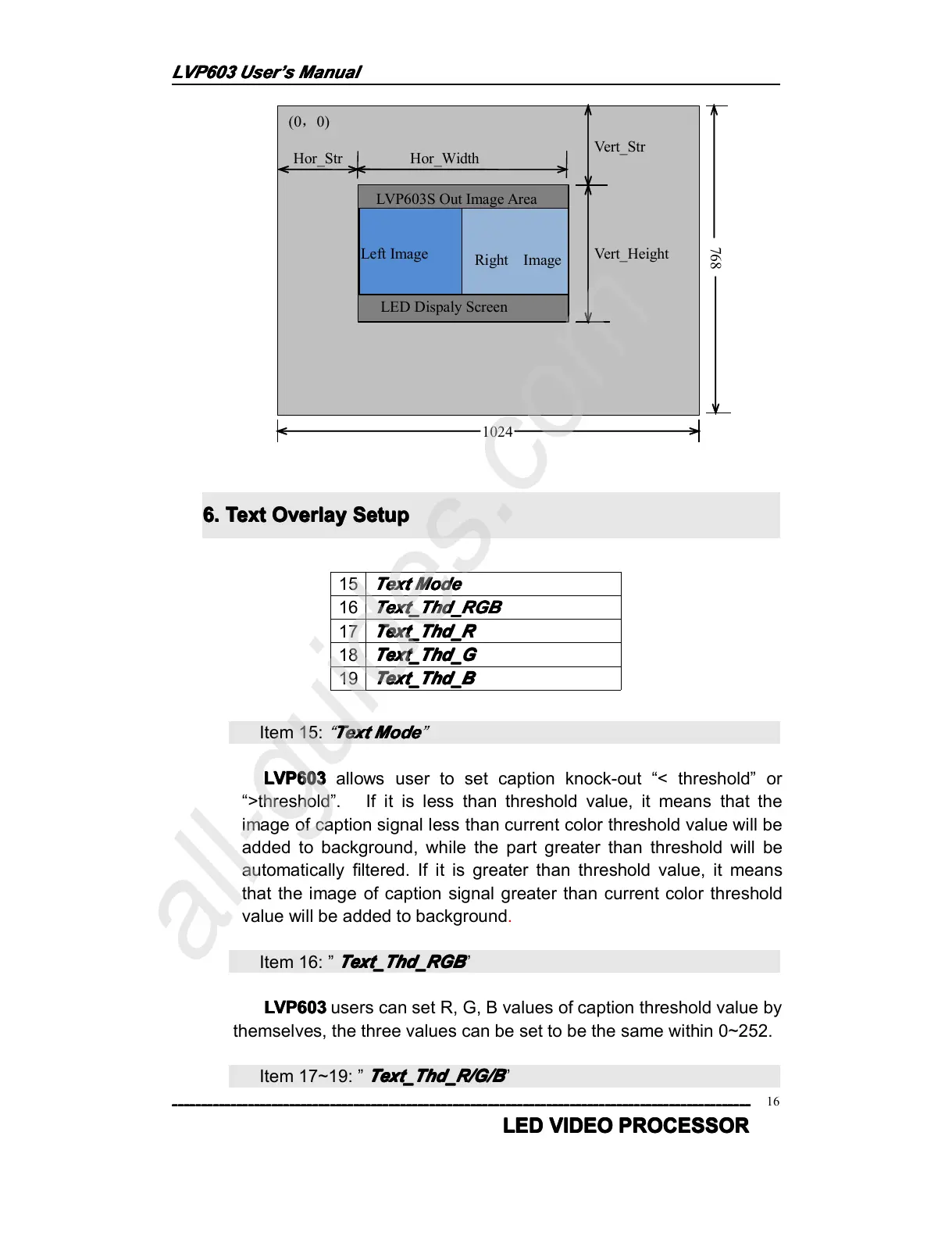
(0 , 0)
Hor_Str Hor_Width
Vert_Str
Vert_Height
LVP603S Out Image Area
1024
768
LED Dispaly Screen



 To Next Page