4
C.AC Output Receptacle: For application demands of different geographic areas all over the
world, there are many different kinds of optional AC receptacle to choose from.
D.Vent outlet
To decrease the temperature of the inverter
F.Remote switch port(Optional):
Use to connect the remote ON/OFF switch via a communication cable. Refer to Appendix
G.Hardwire Terminal Block(3000w):
Note: When the load current is>15A,must use output terminal connection which can be found
inside the AC output panel of the inverter.
H.USB Port(Optional):
Power and charges USB-enabled devices.
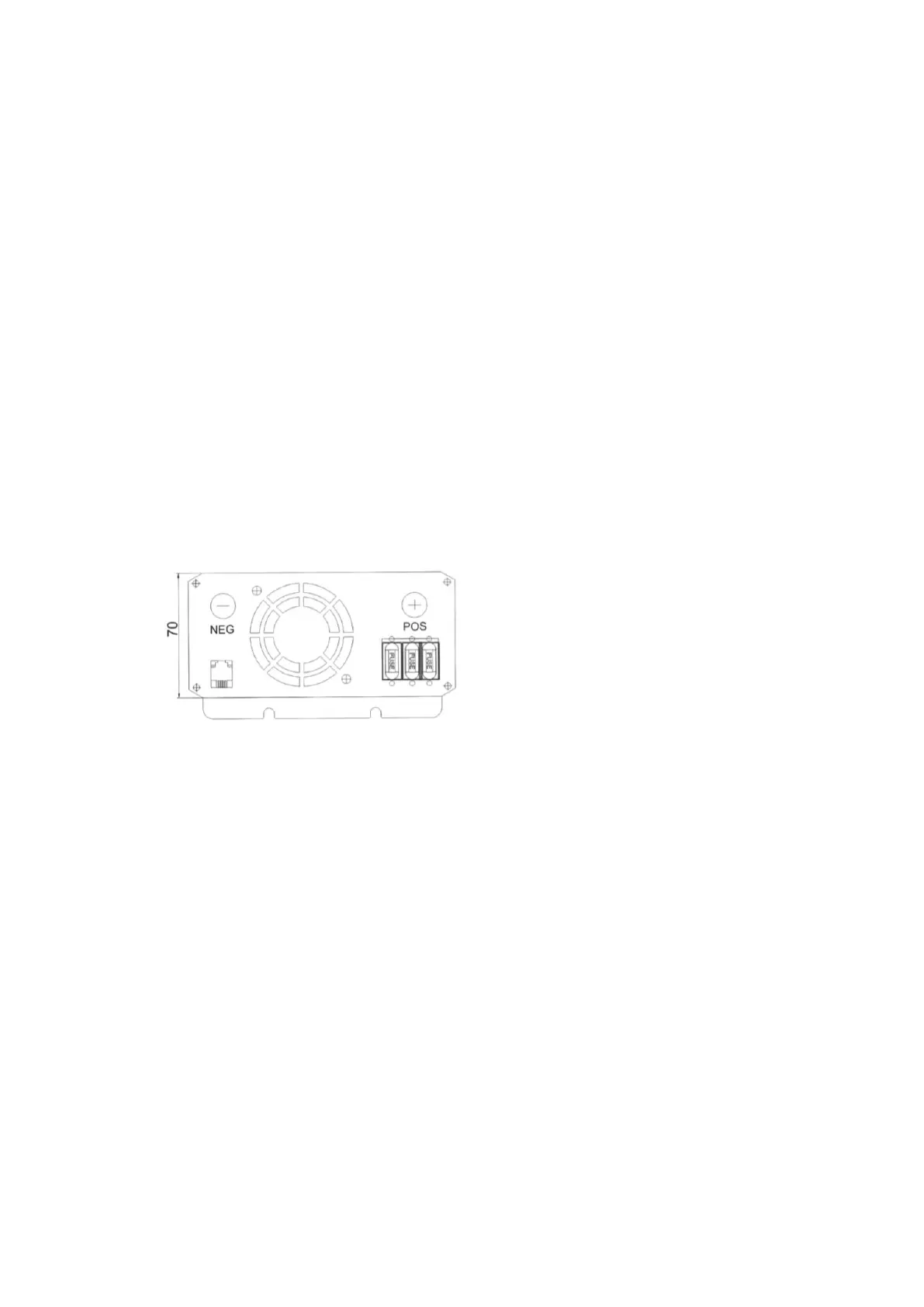
2.2 Rear Panel
The rear panel view shows the inverter’s Cooling fan, DC battery Terminals, Fuse.
A.Temperature and Load controlled Cooling Fan
Quiet, efficient fan prolongs equipment service life.
Load >20% or inner temperature is more than 45 C, the Fan will start work
B.DC Battery Terminals
Connect the battery or other power source.
Negative(-) and positive(+)DC terminals should be kept insulated to protect from accidental short
circuits.
a)Connect the black cable to the black post marked (-)on the back of the inverter. Connect the
other end to the negative terminal on the battery.
b)Connect the red cable to the red post marked (+)on the back of the inverter. Connect the other
end to the positive terminals on the battery.
If you connect the cables to the incorrect terminals, you will reverse the polarity and damage the
inverter.


 To Next Page