Fluid Imaging
Operating Principles
170 Dimension 3100 Manual Rev. D
10.5.16 Set Initial Scan Parameters
Scan Controls Panel
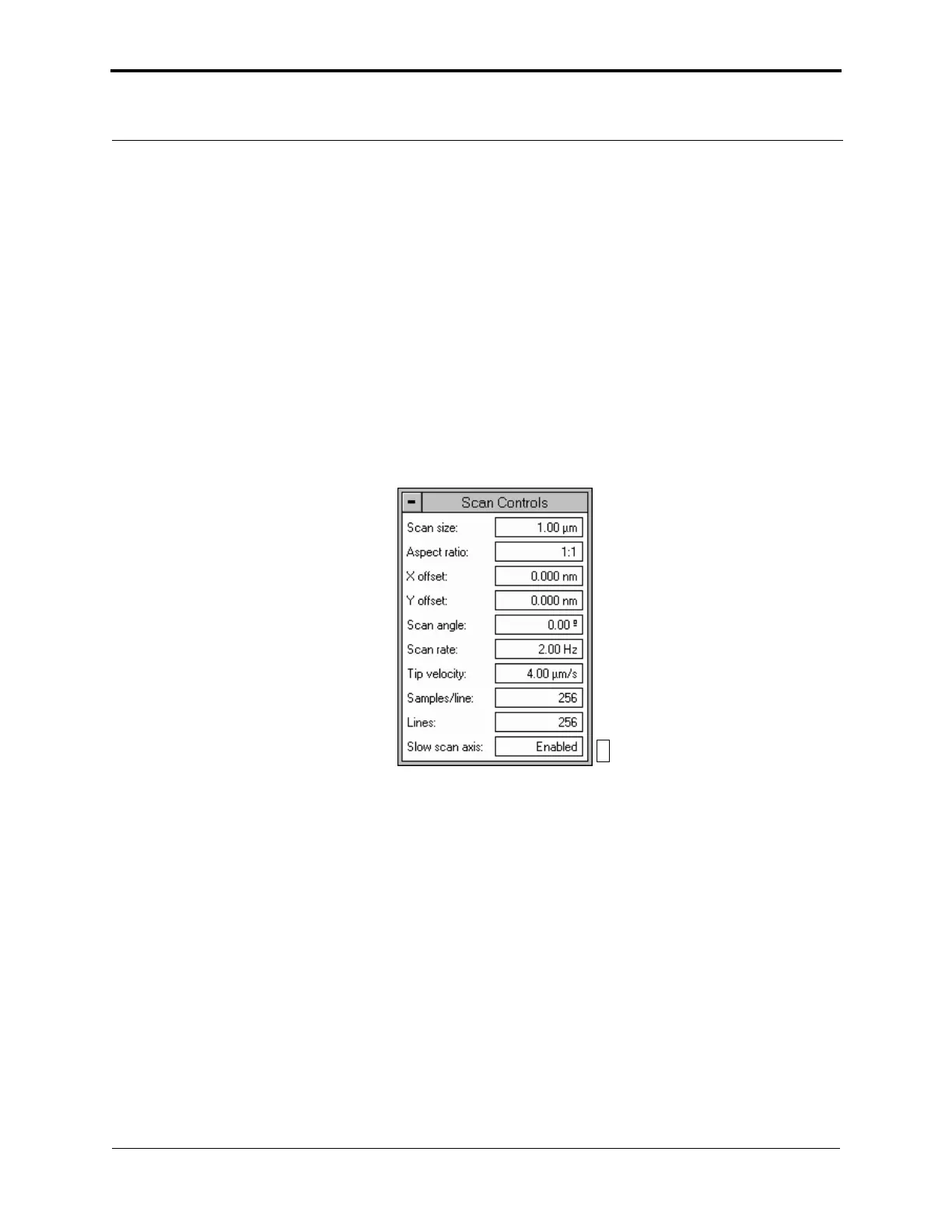
In the Scan Controls panel, set the following initial scan parameters (see Figure 10.5h)
1. Set the Scan Rate to 2Hz.
2. Set the Scan Size to 1µm.
3. Set the Scan Angle to 0.
4. Set X and Y Offsets to 0.
Figure 10.5h Suggested Scan Controls Settings during TappingMode
Feedback Controls Panel
1. For TappingMode, set the Integral gain to 0.5 and the Proportional gain to 0.7. For
Contact Mode, set the Integral gain to 2.0 and the Proportional gain to 3.0.
2. Set the Look Ahead gain to zero.
3. For Contact Mode, in the Feedback Controls panel set the Deflection Setpoint to 0V. It is
not necessary to enter a value for Amplitude Setpoint for TappingMode because this value is
automatically determined during the engage process.
023



 To Next Page