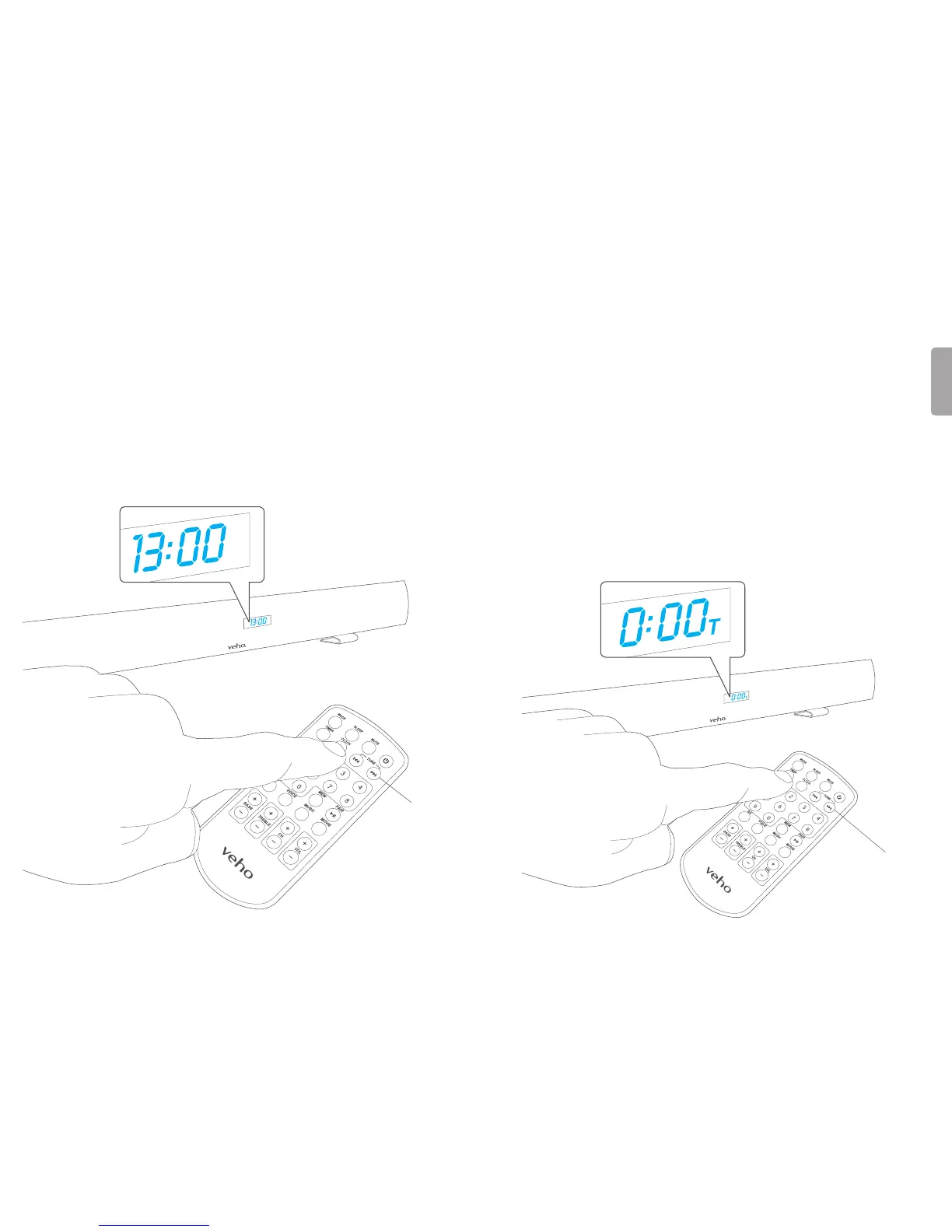
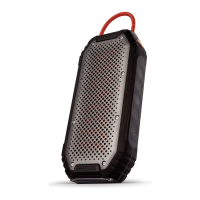
4. Setting the time 5. Setting the timer
TheclockontheAzuroisa24hourclock.PressandholdtheCLOCK
buonontheremoteunlthehourashesonthedisplay.Usethe
TUNE/SKIPbuonsontheremotetoadjustthehourandconrm
youradjustmentbypressingtheCLOCKbuononceontheremote.
Theminutewillblinkonthedisplay.PresstheTUNE/SKIPbuonson
theremotetosettheminuteaccordingly.PresstheCLOCKbuonon
theremoteagaintoconrmyourseng.
Pleasenote:Themecanonlybesetwhenthespeakerisinstandbymode.
YoucansettheAzurototurnontheFMradiomodeatacertainme.
Instandbymode,pressandholdtheTIMERbuonontheremote.
Thehourwillbeginblinkingonthedisplaywiththeashingmer
icon“T”.PresstheTUNE/SKIPbuonsontheremotetoadjustthe
hour.PresstheTIMERbuontoconrm.Theminuteonthedisplay
willbeginblinking.PresstheTUNE/SKIPbuonsontheremoteto
adjusttheminute.PresstheTIMERbuontoconrmyourseng.
Themericon“T”willappearonthedisplay.Whenthesetme
isreached,theAzurowillturnoninFMradiomode.Thevolume
willstartlowandgraduallybuilduptovolumelevel29.Themer
funconcanbedeacvatedoracvatedbypressingtheTIMER
buonontheremotewhilstinstandbymode.
Tune/Skip
Tune/Skip


 To Next Page