Toentertheplaybackmodespressthestandbybuon,thenpressthe
MODEbuontorepeatedlycyclethroughtheavailablemodes.You
canchoosebetweenFM,LINE,AUX,USB,CARD,OPTinorBT.Press
thestandbybuontoenterstandbymodeagain.Whenyoupress
thestandbybuon
toenterplayback
modes the Azuro
willautomacallybe
onthelastplayback
modethatyouused.
Pleasenote:Ifthereisno
audiosignalfor60minutes
theAzurowillautomacally
enterstandbymode.
FM
TheFMmodeontheAzuroistheFMradio.PresstheTUNE/SKIP
buonsontheremotetotunetoaradiostaon.Pressandhold
theTUNE/SKIPbuonstoautosearchforradiostaons.Whenan
availablestaonisfoundtheAzurowillstopsearching.Youcanalso
usethenumbersontheremotetoselecttherequiredfrequency,for
examplepress8,9and9togoto89.9MHz.
TostoreyourfavouriteradiostaonspresstheMEMbuononthe
remotesothataprogrammenumberstartstoash.UsetheCH+
orCH-buontoselectyourpreferredprogrammenumberforthe
currentradiostaon.ConrmyourseleconbypressingtheMEM
buonontheremote.TogotoastoredradiostaonwhilstinFM
modepresstheCH+orCH-buons.
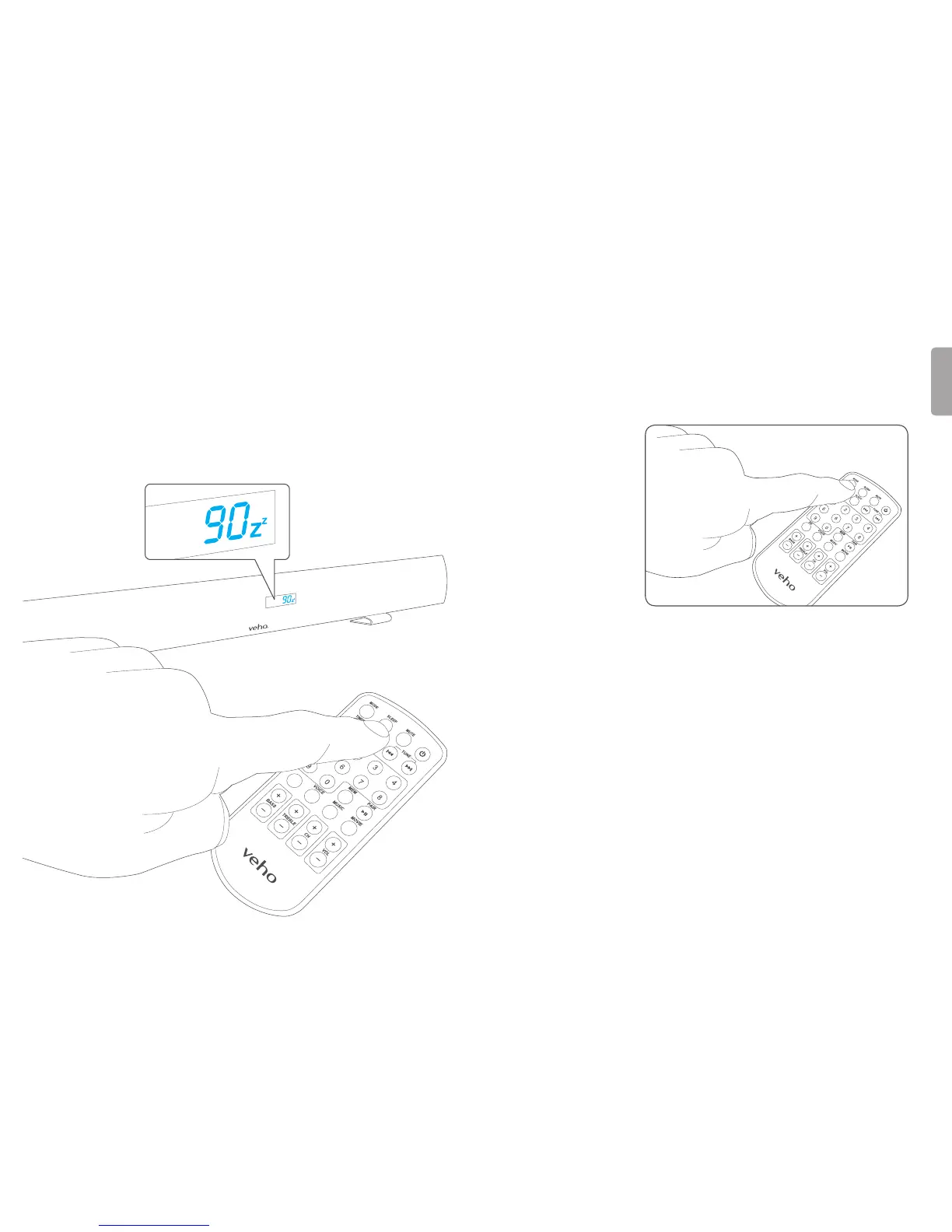
6. Setting the sleep timer 7. Playback modes
YoucansettheAzurotoenterstandbymodeaeracertainamount
ofme.WhilstinanyoftheplaybackmodespresstheSLEEPbuon
ontheremotecontrolrepeatedlytocyclethroughthesleepme
opons.Youcanchoosebetween90,80,70,60,50,40,30,20,10,
5and3minutes.Select00ifyoudonotwantthesleepmertobe
set.TheAzurowillenterstandbymodeaerithasbeenonforthe
desiredamountofme.


 To Next Page