cardwillstartplayingautomacally.PresstheTUNE/SKIPforward
buonontheremotetoskiptothenexttrack;pressandholdtofast
forwardthroughthetrack.PresstheTUNE/SKIPbackwardbuonon
theremotetoskiptotheprevioustrack;pressandholdtorewind
throughthetrack.Youcanalsousethenumericbuonstoenterthe
tracknumberofthesongyouwouldliketoplay.
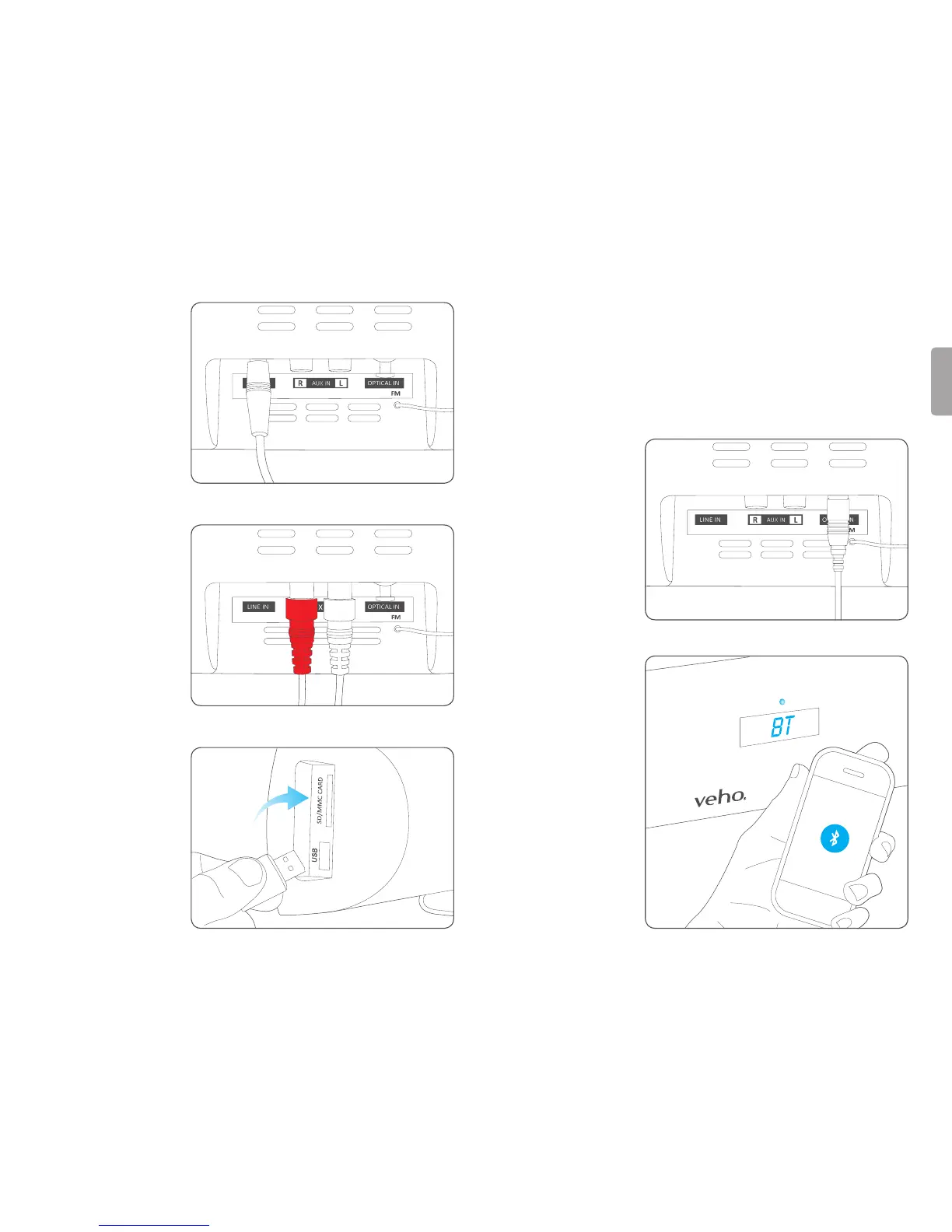
OPTin
TheOPTinmodeon
theAzuroallowsyou
to connect the Azuro
toanaudiosource
usinganopcal
cable(notincluded).
Connecttheopcal
inontheAzuroto
theopcaloutofthe
TVorSourceDevice.
BT
InBTmodetheAzuro
can connect to a
Bluetooth enabled
audiodevice.
Press the MODE
buontochangeto
BTmode.Theblue
LEDwillstarttoash
quickly.Turnonthe
Bluetoothonyour
audiodeviceand
searchforavailable
Bluetoothdevices.
Pairandconnectto
theAzuroinavailable
LINE
TheLINEmodeonthe
Azuroallowsyouto
directlyconnectthe
Azurotoanotherdevice
thatusesa3.5mmline
incable(notincluded).
Connectthedeviceto
theAzurousinga3.5mm
lineincable.
AUX
TheAUXmodeonthe
Azuroallowsyouto
connect the Azuro to
anaudiosourceusing
thesuppliedRCAaudio
cable.ConnectAUXIN
onthemainunittothe
AUDIOOUTontheTVor
SourceDevice.Besure
to match the connector
colours.
USB/Card
InUSBorCARDmode
youcanplayMP3les
fromaUSBdriveorSD/
MMCcard.InsertaUSB
driveorSD/MMCcard
intotheAzuroandpress
theMODEbuonto
changetoUSBorCARD
mode.Themusiconthe
USBdriverorSD/MMC


 To Next Page