EasyManua.ls Logo

Veho Azuro - User Manual

Veho Azuro
51 pages
Print Icon
To Next Page IconTo Next Page
Loading...
ENGLISH
FRANÇAISDEUTSCHITALIANOPORTUGUÊSESPAÑOLРУССКИЙ
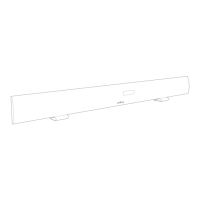
Soundbar
Quick start guide
Question and Answer IconNeed help?

Do you have a question about the Veho Azuro and is the answer not in the manual?

Summary

Whats in the box

Azuro Soundbar Components

Component Identification

Details the physical parts of the soundbar, including buttons, ports, and indicators.

Getting Started with Azuro

Setting the Time

Setting the Timer Function

Sleep Timer Operation

Playback Modes Overview

FM Radio Operation

Instructions for tuning, auto-searching, and storing favorite radio stations.

Audio Input Modes

LINE Input

Connects the soundbar to devices using a 3.5mm line-in cable.

AUX Input

Connects the soundbar to audio sources using the supplied RCA cable.

USB;Card Playback

Plays MP3 files from USB drives or SD/MMC cards.

OPT In (Optical)

Connects the soundbar to audio sources via an optical cable.

Bluetooth (BT) Mode

Connects the soundbar to Bluetooth-enabled audio devices.

Audio Adjustments and Modes

Volume, Treble, Bass Control

Adjusts sound output levels, treble, and bass effects using the remote.

Equalizer (EQ) Settings

Selects preferred equalizer presets like Classic, Rock, Pop, Jazz, or Flat.

Audio Modes (Voice, Music, Movie)

Switches between sound profiles for optimal listening experience.

Bluetooth Pairing Notes

Information on pairing mode cancellation and automatic reconnection.

Product Specifications

Summary

Whats in the box

Azuro Soundbar Components

Component Identification

Details the physical parts of the soundbar, including buttons, ports, and indicators.

Getting Started with Azuro

Setting the Time

Setting the Timer Function

Sleep Timer Operation

Playback Modes Overview

FM Radio Operation

Instructions for tuning, auto-searching, and storing favorite radio stations.

Audio Input Modes

LINE Input

Connects the soundbar to devices using a 3.5mm line-in cable.

AUX Input

Connects the soundbar to audio sources using the supplied RCA cable.

USB;Card Playback

Plays MP3 files from USB drives or SD/MMC cards.

OPT In (Optical)

Connects the soundbar to audio sources via an optical cable.

Bluetooth (BT) Mode

Connects the soundbar to Bluetooth-enabled audio devices.

Audio Adjustments and Modes

Volume, Treble, Bass Control

Adjusts sound output levels, treble, and bass effects using the remote.

Equalizer (EQ) Settings

Selects preferred equalizer presets like Classic, Rock, Pop, Jazz, or Flat.

Audio Modes (Voice, Music, Movie)

Switches between sound profiles for optimal listening experience.

Bluetooth Pairing Notes

Information on pairing mode cancellation and automatic reconnection.

Product Specifications

Veho Azuro Specifications

General IconGeneral
BrandVeho
ModelAzuro
TypePortable Bluetooth Speaker
ConnectivityBluetooth, AUX
Battery LifeUp to 8 hours
Output Power5W
Charging TimeUp to 3 hours
Built-in MicrophoneYes
AUX InputYes
Bluetooth Range10 meters

Related product manuals