EasyManua.ls Logo

Velex VX163D - User Manual

Default Icon
10 pages
Print Icon
To Next Page IconTo Next Page
Loading...
Quick Start Guide
VX163/VX163D Instruction Manual
For Gauge Hole Receivers
Not all features listed in this QSG
are available on all models.
www.velextech.com
THIS PACKAGE CONTAINS
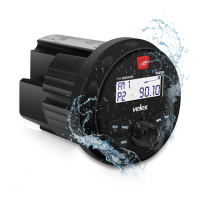
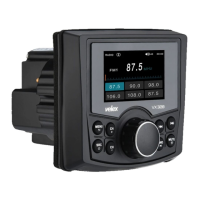
Marine Media Player with Bluetooth x 1
U mounting bracket (Pre-installed) x 1
Screw Posts (Pre-installed) x 2
Hex Nuts (Pre-installed) x 2
User Manual x 1

Questions and Answers

  • J
    Jackson MoralesAug 9, 2025
    What to do if my Velex VX163D won't turn on?
    • C
      Christina KingAug 9, 2025
      If your Velex Receiver is not turning on, it could be due to several reasons: * The yellow or red wire may not be connected properly or have incorrect voltage. Check these connections to ensure they have the correct voltage (11-16V DC). * The black wire might not be connected. Ensure it is properly connected to the ground. * The fuse may be blown. If so, replace the fuse.
  • A
    ajenkinsAug 19, 2025
    Why does my Velex VX163D have power but no sound?
    • T
      Timothy MooreAug 19, 2025
      If your Velex Receiver has power but no sound, the issue might be with the speaker wires. * Check the connections at the speakers to ensure the speaker wire is connected. * One or more speaker wires might be touching each other or the chassis ground. Insulate all bare speaker wires from each other and the chassis ground.
  • N
    Neil MendozaAug 29, 2025
    What causes a Velex Receiver to blow fuses?
    • J
      John RomeroAug 29, 2025
      A Velex Receiver might be blowing fuses due to: * The yellow or red wire touching the chassis ground. Check for any pinched wires. * Speaker wires touching the chassis ground. Inspect for pinched wires here as well. * Using an incorrect fuse rating. Make sure you are using a fuse with the correct rating.

Summary

Quick Start Guide

Mounting &Wiring

Before You Start

Pre-installation safety and environmental considerations for unit installation.

Getting Started

Initial steps for installing the stereo, including drilling and securing.

Installation

Mounting the Radio

Detailed instructions for physically mounting the radio unit onto the dashboard.

Control Locations - Receiver

General Operation

Audio Setting

Describes how to access and adjust audio settings like EQ, Bass, Treble, and Fader.

System Setting

Details how to access and adjust system settings such as Beep, Reset, About, and Time.

AM;FM Tuner Operation

Tuner Function Setting

Guide to tuner settings including auto store, manual store, area selection, and RDS options.

USB Operation (MP3;WMA)

Bluetooth Operation

DAB Operation (available for VX163 D only)

Tuning DAB+ stations

Procedures for scanning and tuning into DAB+ radio stations.

Specifications

Trouble Shooting

Cutting Template

Velex VX163D Specifications

General IconGeneral
BrandVelex
ModelVX163D
CategoryReceiver
LanguageEnglish

Related product manuals