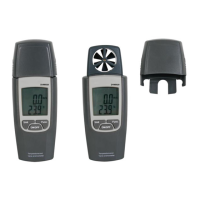
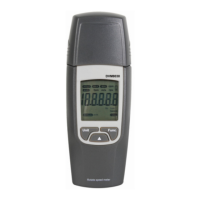
Press to enter the max/min mode.
Press again to display the max value.
Press again to display the min value.
4. Operating Instructions
a. General Functions
Data Hold Mode
The data hold function makes the meter stop updating the display. The meter switches to the manual ranging
mode when enabling this function. This function can be cancelled by changing the measurement mode or by
pushing the RANG or HOLD/LIGHT key again.
To enter the mode:
1. Press the HOLD/LIGHT key. appears on the display.
2. A second short press returns the meter to the normal mode.
Manual Ranging and Autoranging Modes
* In autoranging mode, the meter selects the best range for the detected input. This allows you to switch test
points without having to reset the range.
* The manual ranging mode allows you to override the autoranging mode and to lock the meter in a specific
range.
* The meter defaults to the autoranging mode in measurement functions that have mode than one range. The
meter displays when in autoranging mode.
1. Press RANG to enter the manual ranging mode. Each press on the RANG key will increase the range.
NOTE: If you manually change the range after entering the data hold mode, the meter will exit this mode.
2. Hold the RANG key pressed to exit the manual ranging mode and to enter the autoranging mode.
Battery Saver
Turn on the meter. The meter turns off automatically after approximately 30 minutes. Press HOLD/LIGHT or
rotate the rotary switch to reactivate the meter. Hold SELECT pressed to disable the battery saver function.



 To Next Page