DVR4MQAEE_v5 VELLEMAN
- 25 -
l. Search
m. Record
n. Stop / Fast Rewind / Fast Forward / Pause / Slow Playback / Play
o. +
p. -
q. Digital Zoom
r. Set: press this button to change channel display position.
Press “▲▼◄►” to select the channel you would like to change.
Press “+” or “-” to select the channel you would like to show.
Press “Enter” button to confirm.
s. Sequence: press this button to enter the call monitor function and press again to exit from call monitor mode.
t. Enter
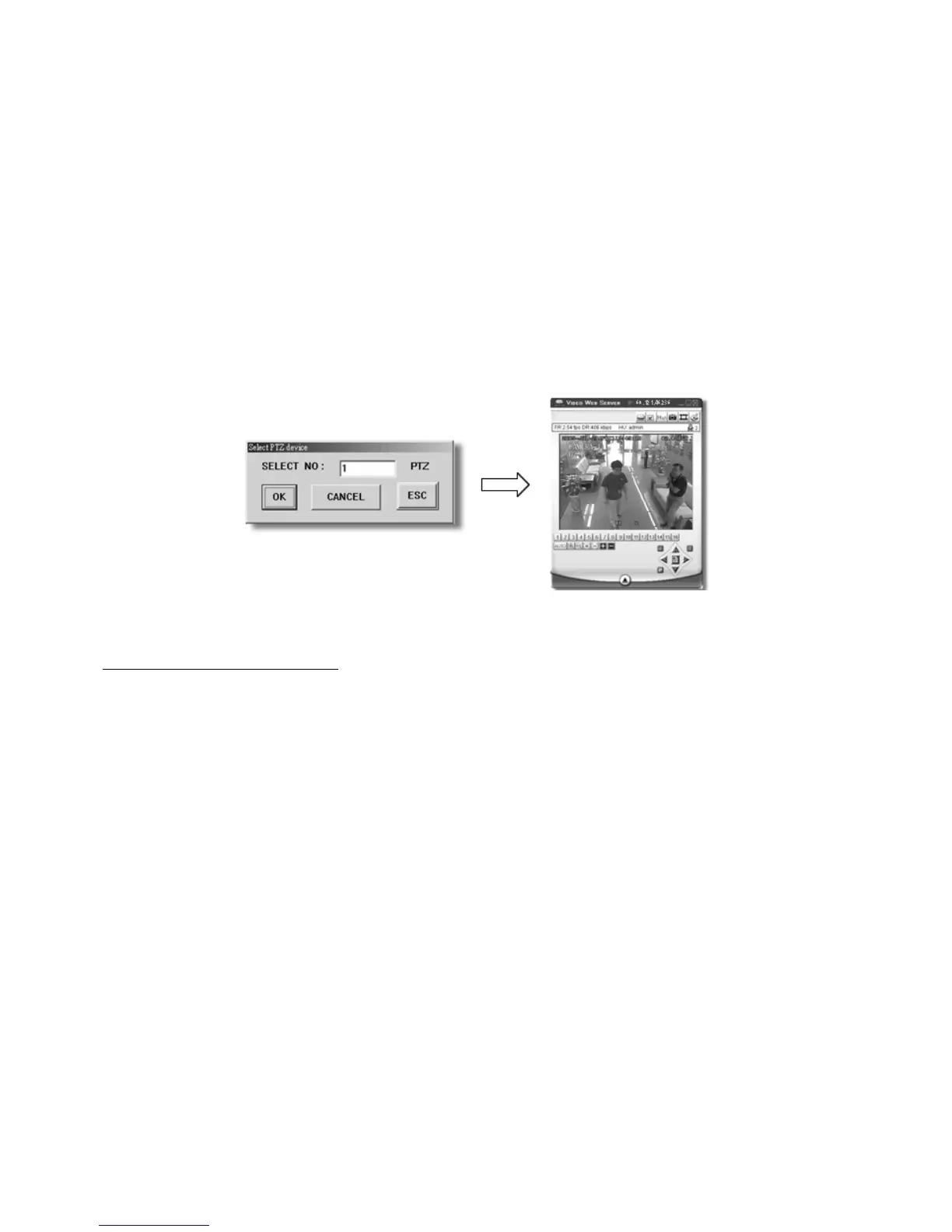
u. PTZ Control Off / On (PTZ = channel onto which the camera is connected):
When you turn the PTZ control on, select the PTZ device and press “OK” button to enter the PTZ control AP
screen (press “ESC” to exit from PTZ control AP screen and back to DVR control AP screen).
v. Menu / Up / Down / Left / Right
w. Turbo Off / On
Digital Device Control Panel ~ PTZ


 To Next Page