DVR4MQAEE_v5 VELLEMAN
- 33 -
(6) Watermark
(7) Open Previous
(8) Open Next File
4. Playback Control Buttons :
Play / Stop / Pause / Fast Rewind / Fast Forward
5. Snapshot
6. Close the Player.
ALARM
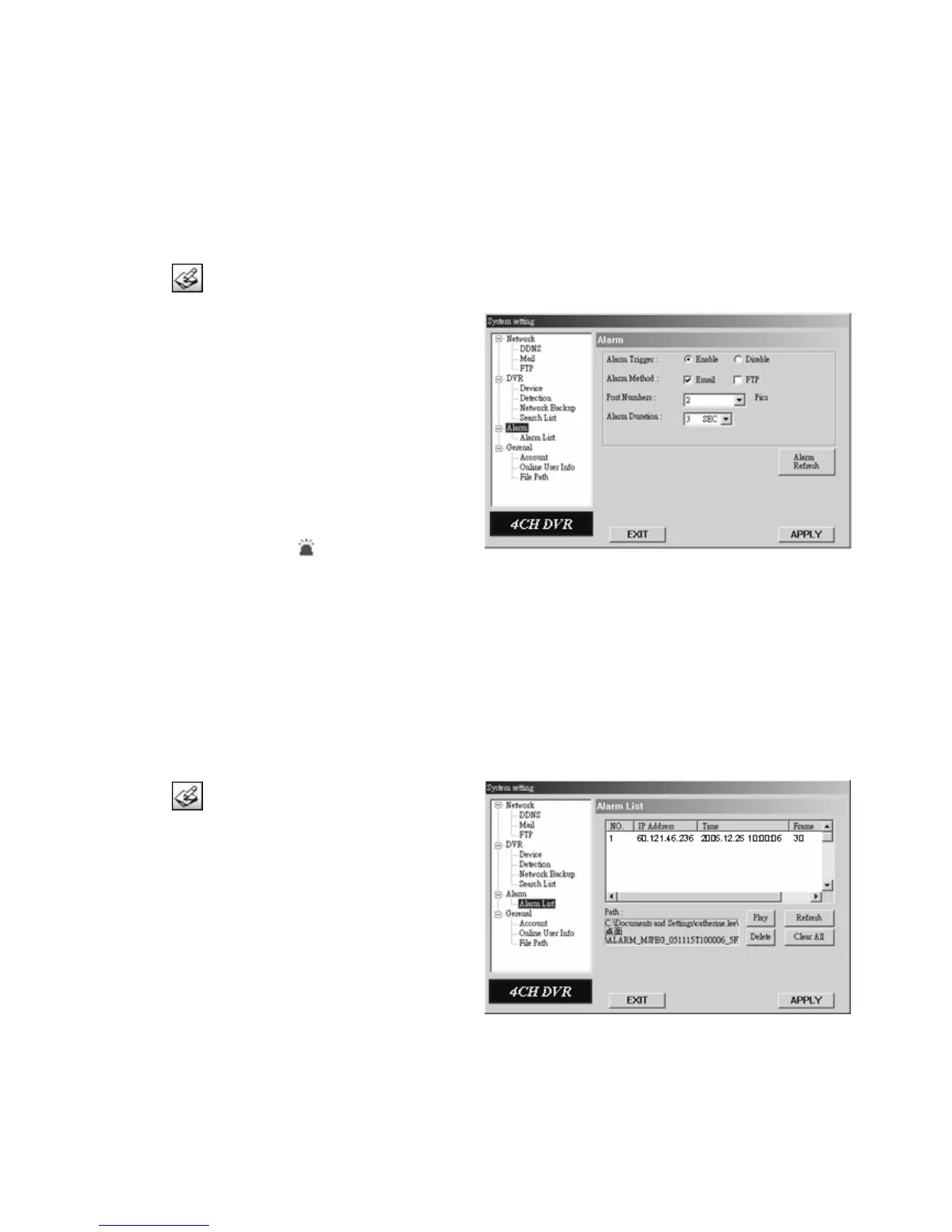
Press the “ ” button to enter the system setting page.
1. Alarm Trigger:
Enable or disable the email and FTP notification
function.
2. Alarm Method:
Two notification methods: email and / or FTP.
3. Post Number:
Set the MJPEG pictures (1-10 pictures).
4. Alarm Duration:
Set the duration time of the motion trigger recording (3
sec., 15 sec., 30 sec., 1 min. or 30 min.).
5. Alarm Refresh:
Clean the alarm message “ ”shown on the screen.
NOTE:
Email Notification: MJPEG pictures will be made at your designated space set in “File Path”, plus an email
containing the MJPEG pictures (1-10 pictures) will be sent to the address which is set under
“Mail”.
FTP Notification: MJPEG pictures will be made at your designated space set in “File Path”, plus an FTP file
containing the MJPEG pictures (1-10 pictures) will be sent to the address which is set under
“FTP”.
ALARM LIST
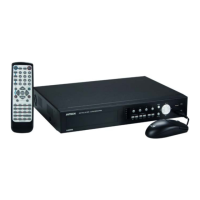
Press the “ ” button to enter the system setting page.
1. It is a database which precisely lists all alarm
triggered events with IP address of Video Web Server,
alarm triggered time and number of frames.
2. You can play, delete or clear all motion-triggered
recording events easily.
3. Click on the “Refresh” button to update the database
list.
4. All the motion-triggered files will be listed
systematically for an easy search.


 To Next Page