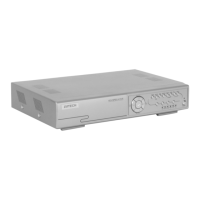
Need help?
Do you have a question about the Velleman DVR4H4 and is the answer not in the manual?
Provides information on the proper disposal of the device to protect the environment.
Covers general cautions, symbol meanings, and warnings related to electric shock hazards.
Covers unauthorized users, servicing, handling, and product safety class.
Details guidelines for indoor use, temperature, shock protection, modifications, intended purpose, and legal use.
Highlights recording capabilities, advanced surveillance, and system/accessory features.
Provides step-by-step instructions for installing the HDD into the DVR.
Guides on accessing the DVR and understanding the live page layout.
Explains various status icons for DVR, channels, recording, and events.
Details how to access and use the quick menu for channel selection, playback, zoom, and power.
Describes the top-level menu items for system configuration and access.
Details the sub-menus and their respective settings within the main menu.
Details the indicators, buttons, navigation keys, and USB ports on the front panel.
Details the various input/output ports and connectors on the rear panel.
Details additional rear panel connections including alarm, HDMI, eSATA, VGA, IR, and power.
Provides step-by-step instructions for connecting the DVR to a monitor and cameras.
Instructions on how to properly connect the power adapter and turn on the DVR unit.
Guides on setting the DVR's date and time, with notes on importance and potential issues.
Instructions on how to clear all data from the hard disk for initial setup.
Guides on changing the default administrator password and managing user levels.
Explains how to lock or unlock the DVR operation using the status bar.
Instructions for creating new user accounts and details on different user access levels.
Details the access privileges for SUPERVISOR, POWER USER, NORMAL, and GUEST levels.
Explains functions like fast forward, rewind, play/pause, stop, slow playback, and repeat.
Describes how to search recorded files based on event types like motion or alarm.
Instructions on how to play or mute audio during video playback.
Guides on backing up recorded video data to a USB flash drive.
Instructions on how to use the digital zoom feature to magnify specific areas of video.
Explains how alarm-in pins support push video notifications.
Details the rear panel terminal for push video alarm connections.
Steps for enabling push video, setting guard status, and configuring alarm sensor types.
Steps to add the DVR to the EagleEyes address book for mobile surveillance.
Instructions on how to enable the push video feature within the EagleEyes app.
Lists requirements for mobile surveillance, including device compatibility and internet service.
Instructions on downloading and installing the EagleEyes mobile application.
Detailed steps for configuring push video notifications on iPhone and iPad devices.
Instructions for configuring push video notifications on Android mobile devices.
Details IVS settings including camera, mode, sensitivity, and area setup.
Explains the functionality of Flow Counting, Virtual Fence, and One-Way Pass modes.
Explains how to operate and view flow counting statistics for pedestrian movement.
Describes how Virtual Fence and One-Way Pass detect intruders and trigger events.
Guides on accessing and displaying IVS event statistics.
Lists key technical specifications of the DVR, including video, storage, and recording details.
Details specifications for refresh rate, connectivity, power, operating temperature, and dimensions.
Includes important disclaimers, website information, and copyright notices.
Provides details on Velleman's service, quality warranty, and general conditions for consumer products.
Outlines the 24-month warranty period, exclusions, and procedures for consumer products in the EU.

 To Next Page
 General