DVR4H4
V. 01 – 10/02/2014 18 ©Velleman nv
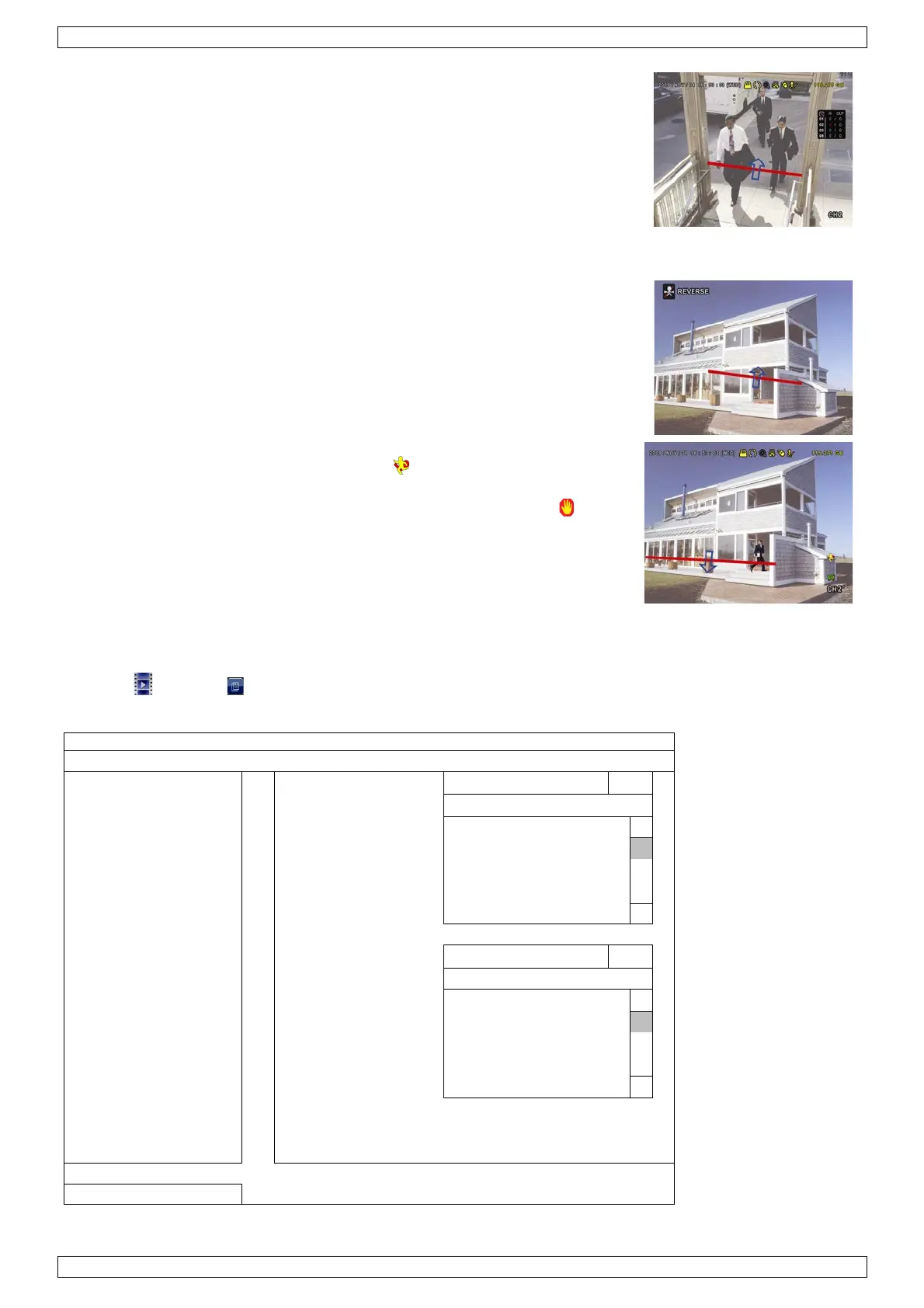
Click it to show the flow counting panel as follows. When anyone walks
across the detection line, the system will determine if the movement is
in or out, and add one count to the corresponding channel on the flow
counting panel.
IN People coming from the opposite direction to the arrow mark.
OUT People coming from the same direction as the arrow mark.
13.2 Virtual Fence / One-Way Pass
1. Go to VIRTUAL FENCE AREA to draw a detection line with your mouse,
and decide the detection direction by selecting REVERSE.
2. Finish the IVS setting and return to the live view.
When anyone walks across the detection line, the system will
determine his movement is in or out.
•
VIRTUAL FENCE An event is triggered when anyone walks across
the detection line from any direction, and is shown on the screen.
• ONE WAY An event is triggered when anyone walks across the
detection line from the opposite direction of the arrow mark, and is
shown on the screen.
13.3 IVS Statistics
1. In the live view, move the mouse to the left to display the quick menu bar.
2. Click and then to enter the event search menu.
3. Select STATISTIC.
LIST
QUICK SEARCH CHANNEL 3 SELECTED
RECORD
ALL
ALARM
CH2
HUMAN DETECTION
CH4
IVS
STATISTIC EVENT TYPE 3 SELECTED
ALL
OUTFLOW
ONEWAY
4. Set all the criteria you want to search, and click SUBMIT in STATISTIC to show the event statistics.


 To Next Page