DVR4MQAEE_v5 VELLEMAN
- 36 -
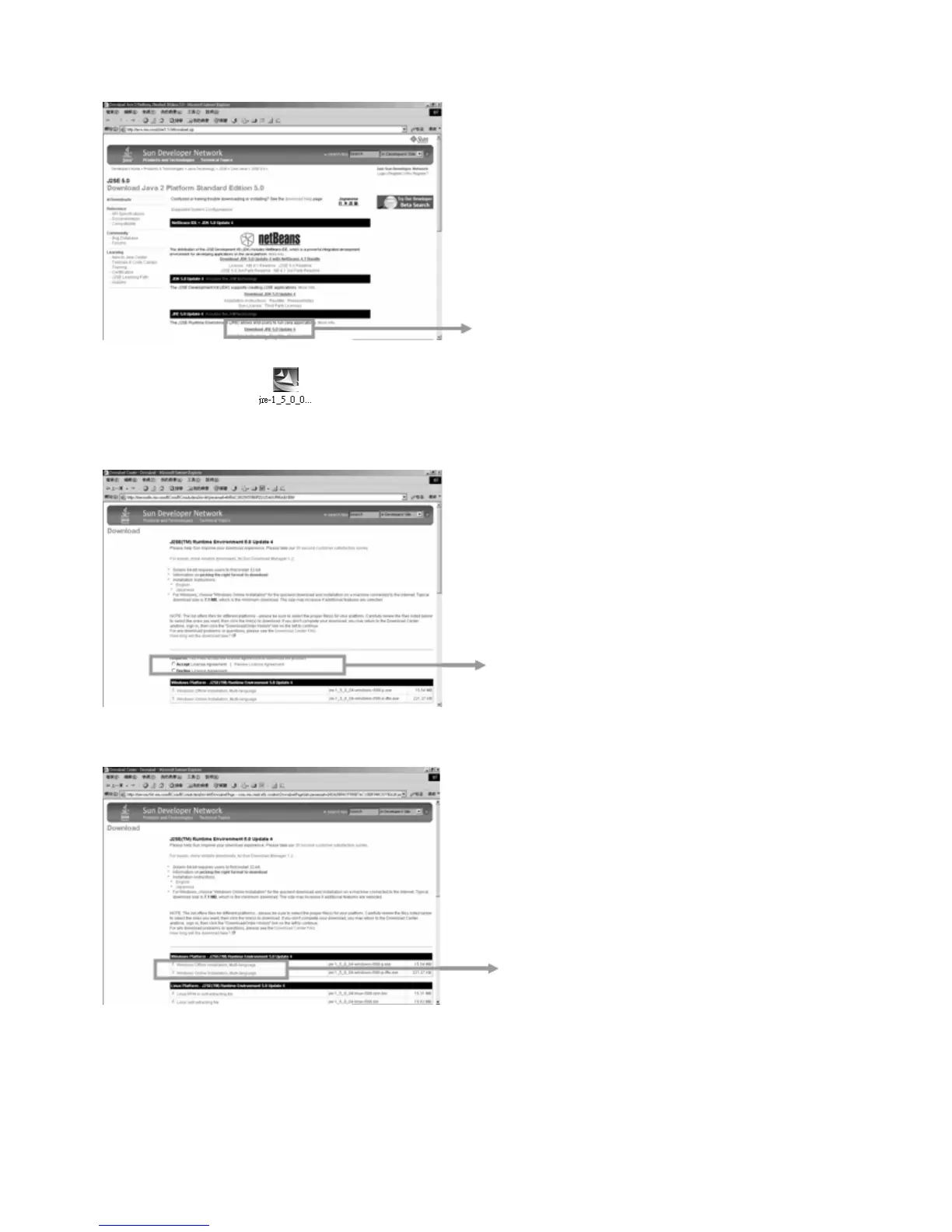
Step 2: Press the “Download JAVA” button.
NOTE: JAVA setup file “
” is also included in the licensed software AP disk.
Step 3: Press “Accept License Agreement”.
Step 4: Choose “Windows Offline Installation” or “Windows Online Installation”.
Step 5: Take “Windows Offline Installation” as an example. Save the setup file “jre-1_5_0_04-windows-i586-p” on the
desktop of PC. Click twice on the “jre-1_5_0_04-windows-i586-p“ to setup.
Download JRE 5.0 Update 4
Accept license agreement
Windows Offline Installation
Windows Online Installation


 To Next Page