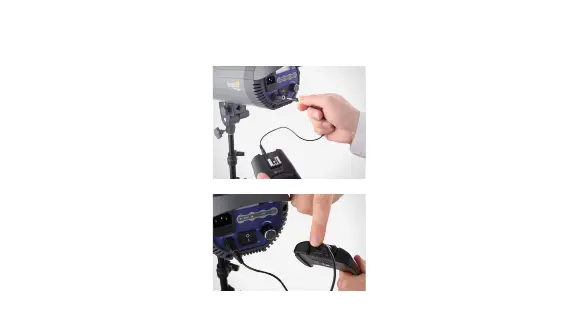
24
. Turn the receiver and your
studio light o.
2. Use the included 3.5 mm
to 3.5 mm cable to connect
the output sync port on the
receiver to the flash sync
port on your studio light.
3. Turn the receiver and your
studio light on.
CONNECTING THE RECEIVER TO A STUDIO LIGHT
Note: Your studio light might have
a 1/4" phono port for syncing
the flash. We have included the
necessary adapter to convert
3.5 mm to 1/4".



 To Next Page