Setup of wall switch for group control of products
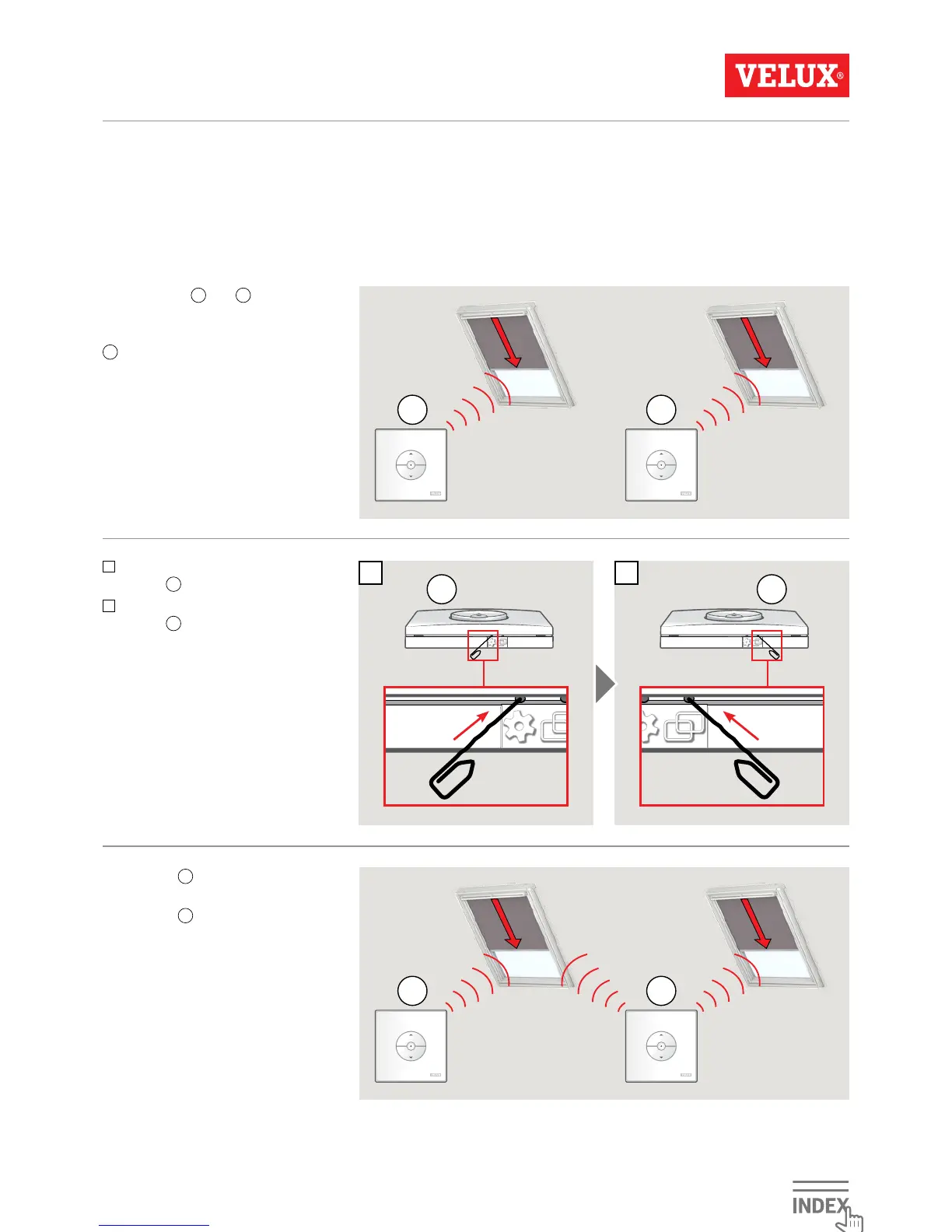
Important: All wall switches must be of the same type.
Wall switches
A
and
B
operate sepa-
rate products.
The example shows how wall switch
B
is set up to operate both products.
1
Press the GEAR button on wall
switch
A
for 1 second.
2
Press the PAIR button on wall
switch
B
for 1 second.
Wall switch
B
can now operate both
products.
Wall switch
A
can still operate its
own product.



 To Next Page
 Loading...