English
- 26 -
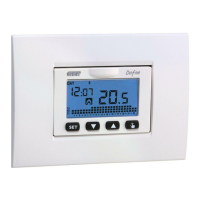
Dafne chronothermostat, user’s manual
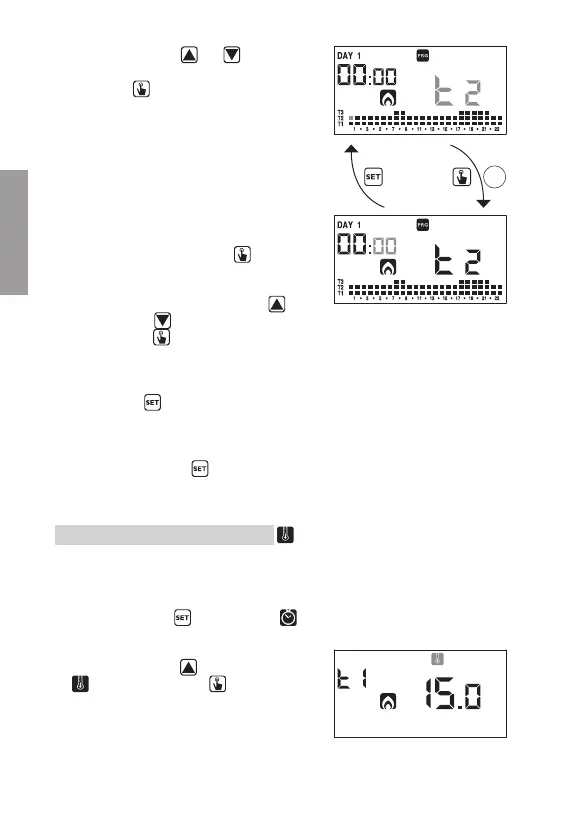
Use the keys and to change
the temperature level and the
key
to move to the next hour.
Set in this way the desired level
temperature for each hour of the
day.
3.2.1.1. For each hour it’s also possible
to delay the start of the
regulation of 15’, 30’ or 45’.
After setting the temperature
as described above, press for
a long time the key
to set
a delay.
The minutes field flashes
(field 3): set with the keys
and
the delay and press the
key
to move to the next hour.
4. When the program satisfies the user’s
needs, go back to the days page pressing
twice the key
and repeat for the other
days of the week the operations just described.
When all modifications have been performed,
exit the programming menu by pressing
for a long time the key
.
Temperatures T1, T2, T3 modification
To modify the 3 temperatures of automatic operation:
1. From the normal operation display, press for
a long time the key
until the symbol
starts flashing on field (2)
2. Press briefly the key
until the symbol
flashes. Press the key to access the
parameters modification.
3s


 To Next Page