- 17 -
Manual User ECO
English
FIRST START
• Insert battieries and
press key “R” (Reset)
by means of a pencil
■ This operation
deletes all data and
programs previously
set and initializes the
default (starting
state)
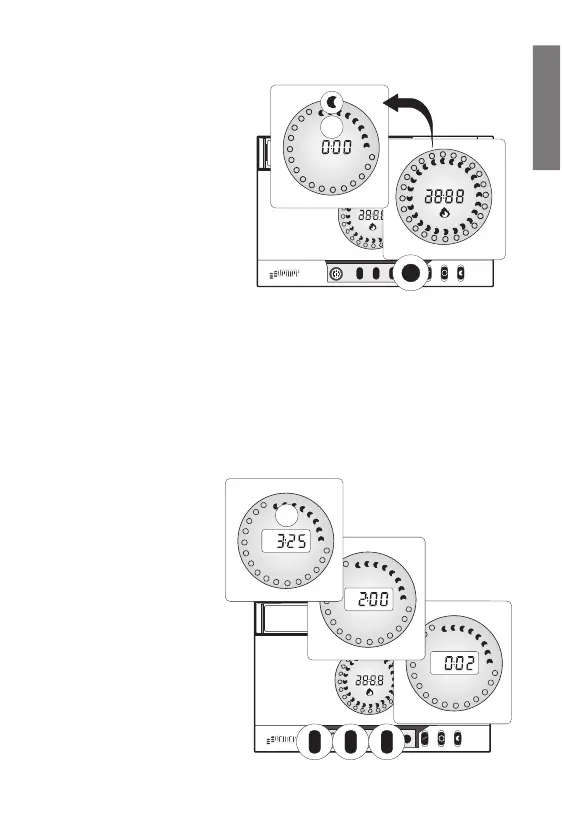
• All display segments are
switched on and the relay is activated for 3 seconds (Table 4 ex. A)
• The clock starts from flashing “0:00”
• Days start from “Mon” (only for weekly version)
• Display shows default programing with graphic segment flashing on “0:00”
hour position (Table 4 ex. B)
CLOCK SETTING
■ This function is possible only when time is displayed on the numeric
field
•Press key “M”, minutes
are increased
continuously from “00”
to “59”; (holding the
key, autorepeat function
is activeted).
(Table 5 ex. A)
•Press key “H”, hours
are increased
continuously from “0”
to “23”; (holding the
key, peat function is
activeted).
(Table 5 ex. B)



 To Next Page