Day
7
Setup
33
Setup
32
Page 15.4
Mo
Setup
34
Am
7:00
Mo
Start
Setup
35
Press
MODE
Press
MODE
Press
MODE
Continued on
the next page
Press
MODE
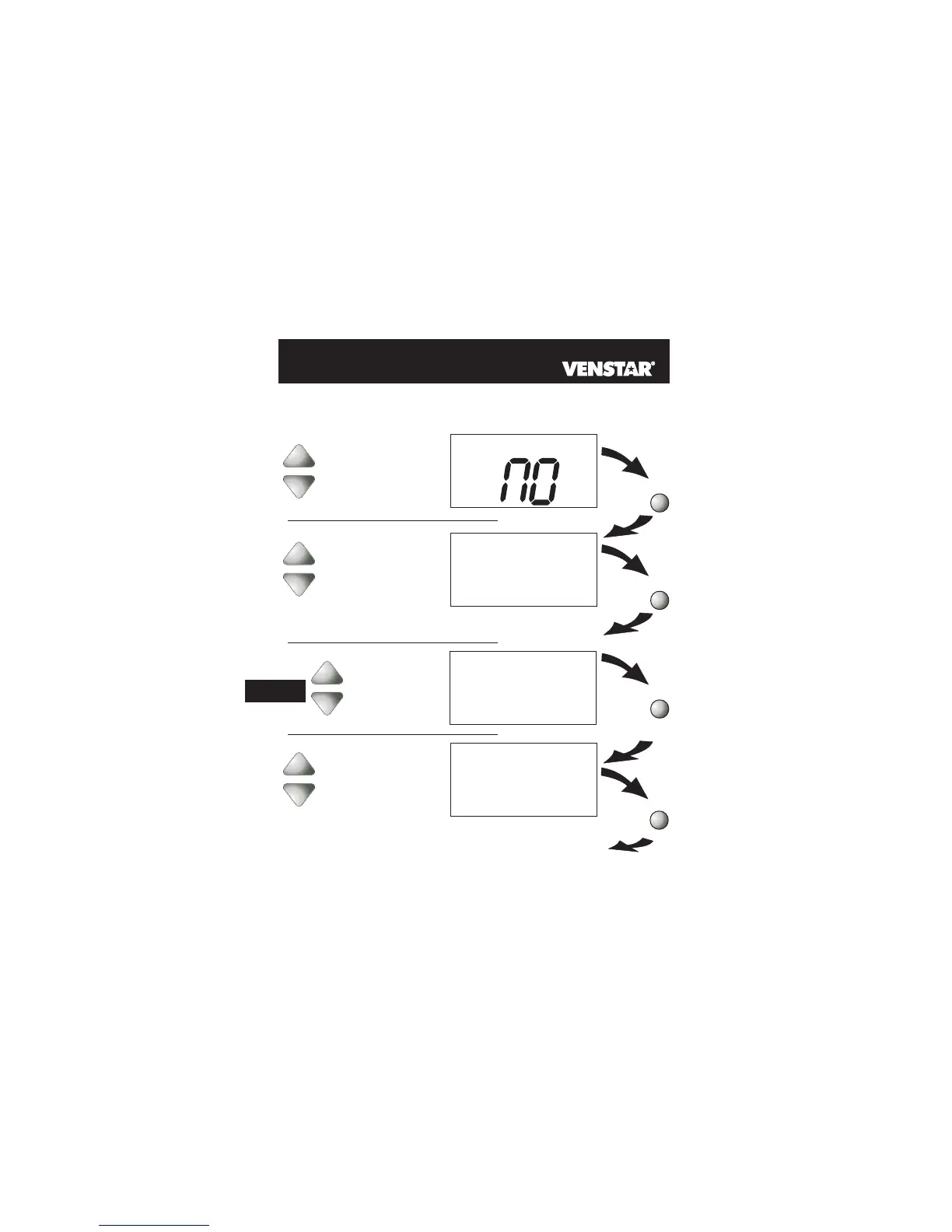
If Step 33 is set for 1-Day, then Day of the
Week and Copy functions do not appear or apply.
7-Day
1-Day
Select 7-Day or 1-Day
Programming:
7-Day = Different program
for each day.
1-Day = Same program
every day.
Adjust the program-
mable output start time
for Monday.
(24 Hours)
Select the day of
the week
Time-Based Control of the
Programmable Output
NC
NO
Programmable Output Polarity:
NC = Normally Closed to turn off
between the start and stop times
in steps 35 and 36.
NO = Normally Open to operate
between the start and stop times
in steps 35 and 36.
15



 To Next Page