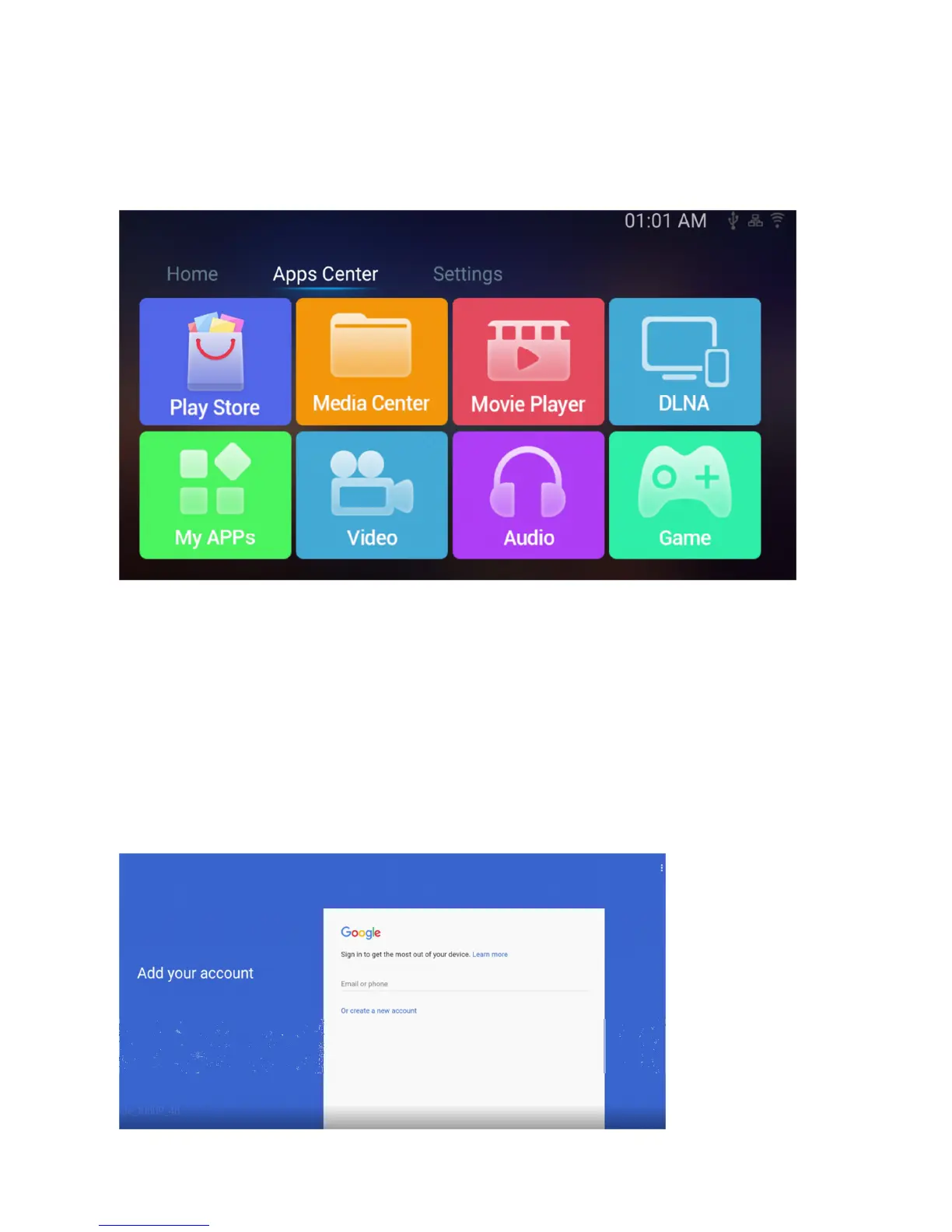
D. APPS CENTER / APPS CENTER / APPS ZENTRUM
ENG: when clicking to the right on the home screen you will see that the VENZ software is very responsive and
brings you to the second screen which you also can select at the top, Apps Center
NL: wanneer u rechts blijft klikken op het home scherm ziet u hoe snel de VENZ software door de menu’s heen
gaat en brengt u eerst in het tweede scherm welke u ook bovenin kunt selecteren, Apps Center
DE: Wenn Sie weiterhin auf den Startbildschirm klicken, sehen Sie, wie schnell die VENZ-Software durch die
Menüs läuft und bringt Sie zum zweiten Bildschirm, den Sie auch oben auswählen können, Apps Zentrum
Playstore
ENG: one of the most important tiles on your VENZ box, the Google Playstore entrance, click here to direct to the
full Google Playstore to install apps on your VENZ box *important: you will need to sign in to the Playstore with
your email address same as how you do it on a smartphone or tablet.
NL: Een van de belangrijkste tegels in je VENZ box, de Google Playstore, klikt u hier om naar de volledige Google
Playstore te gaan om apps op uw VENZ box te installeren. * Belangrijk: u moet uzelf aanmelden bij de Playstore
met een e-mailadres hetzelfde als hoe u het doet op een smartphone of tablet.
DE: Eine der wichtigsten Kacheln auf Ihrer VENZ-Box, dem Google Playstore-Eintrag, klicken Sie hier, um zum
vollständigen Google Playstore zu gelangen, um Apps auf Ihrer VENZ-Box zu installieren. * Wichtig: Sie müssen
sich mit Ihrer E-Mail-Adresse im Playstore anmelden wie Sie es auf einem Smartphone oder Tablet machen.


 To Next Page