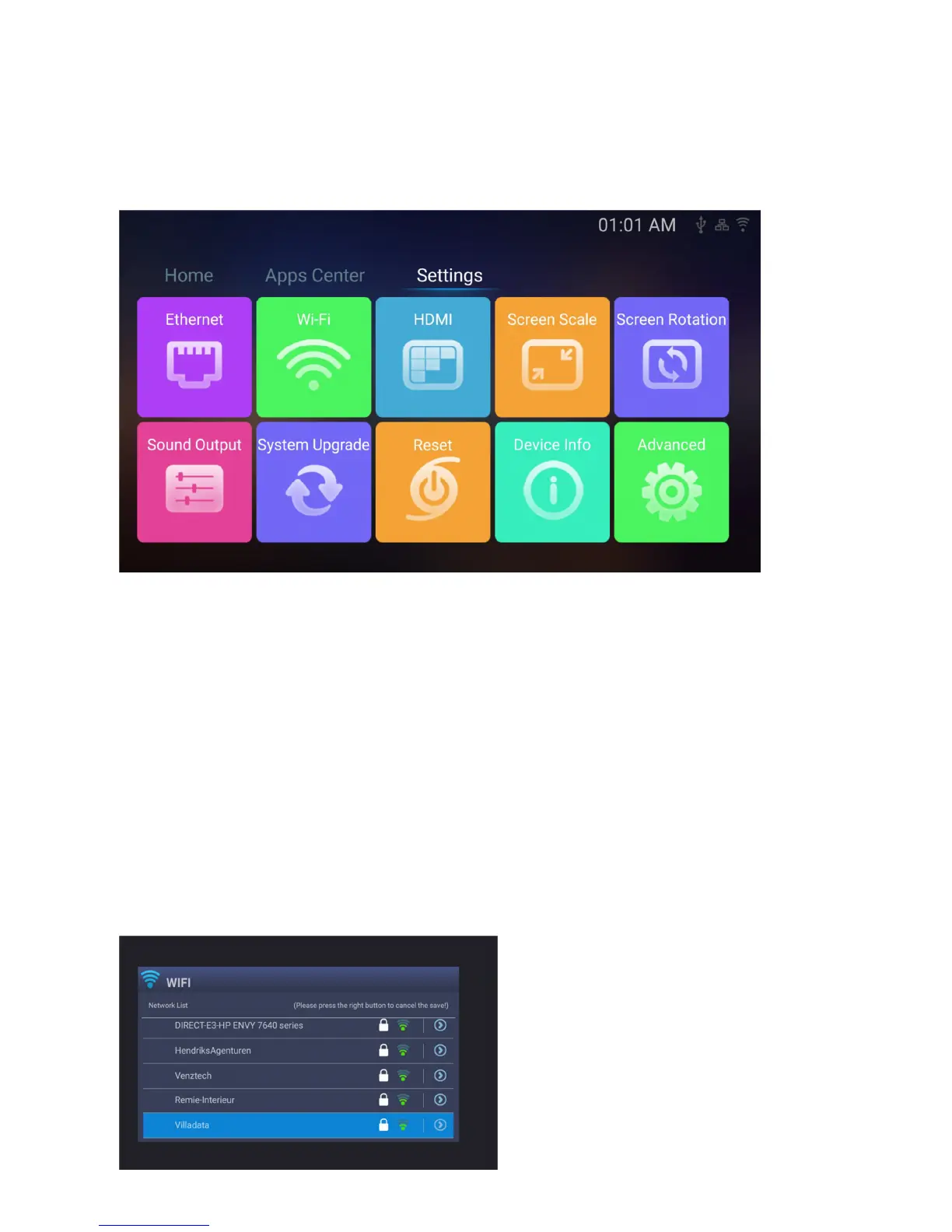
D. SETTINGS / INSTELLINGEN / EINSTELLUNGEN
ENG: The third main screen you will find when going further to the right or choose on the top is the settings
menu where all important settings of the VENZ box are listed and to be controlled.
NL: Het derde hoofdscherm vindt u als u verder naar rechts of bovenaan kiest, dit is het instellingen menu waar
u alle belangrijke instellingen van de VENZ-box vind en kunt instellen.
DE: Der dritte Hauptbildschirm, den Sie finden, wenn Sie weiter nach rechts gehen oder oben auswählen, ist das
Einstellungsmenü, in dem alle wichtigen Einstellungen der VENZ-Box aufgeführt und gesteuert werden.
Ethernet
ENG: when you connect your internet by cable to the VENZ box you will find here all details of your connection,
the VENZ box automatically detects your settings if your router allows this, most of them do in the same
network, if not you will need to fill out the connection details by yourself based on your home network.
NL: wanneer u uw internet via kabel aansluit op de VENZ-box, vindt u hier alle details van uw verbinding. De
VENZ-box detecteert automatisch uw instellingen als uw router dit toelaat, de meeste doen dat maar als uw
verbinding dat niet doet kunt u de verbindingsgegevens zelf invullen op basis van uw thuisnetwerk.
DE: Wenn Sie Ihr Internet über ein Kabel an die VENZ-Box anschließen, finden Sie alle Details Ihrer Verbindung.
Die VENZ-Box erkennt Ihre Einstellungen automatisch, wenn Ihr Router dies zulässt. Meistens können Sie die
Verbindungsdaten jedoch basierend auf Ihrem Heimnetzwerk selbst vervollständigen.
Wi-Fi
ENG: here you set your WiFi connection in the VENZ box
NL: hier stelt u uw WiFi verbinding in in de VENZ box
DE: Hier stellen Sie Ihre WLAN-Verbindung in die VENZ-Box ein


 To Next Page