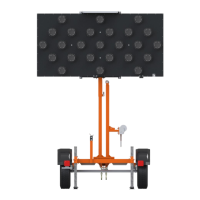
Arrowboard Controllers
32 Arrowboard Operation, Safety and Maintenance Manual –v1 Ver-Mac 2019
Ensure all screws are in place and tight.
Clean lens and check for functioning.
Replace any faulty lamps.
Remove dirt and grime from photocell
window, especially if display is dim.
It might not rain enough to clean the solar
panel. Clean upper glass surface using
plenty of water.
In Winter, remove snow or ice build-up as
soon as possible.
Sunlight usually melts any light snow or ice.
Electrical
Junction
Boxes
Open junction box and use a voltmeter to
test and monitor output.
All Electrical
Connectors
Electrical Cables
or Wiring
Check for wear, frays, breaks.
Verify condition (clean, undamaged).
Check for proper operation.
Check all lamp functions/modes.
Check for proper functioning, no loose wires
touching other terminals.
Optional Touchscreen Controller
Verify condition (clean, undamaged)
Check for proper operation


 To Next Page