Settings
44 Arrowboard Operation, Safety and Maintenance Manual –v1 Ver-Mac 2019
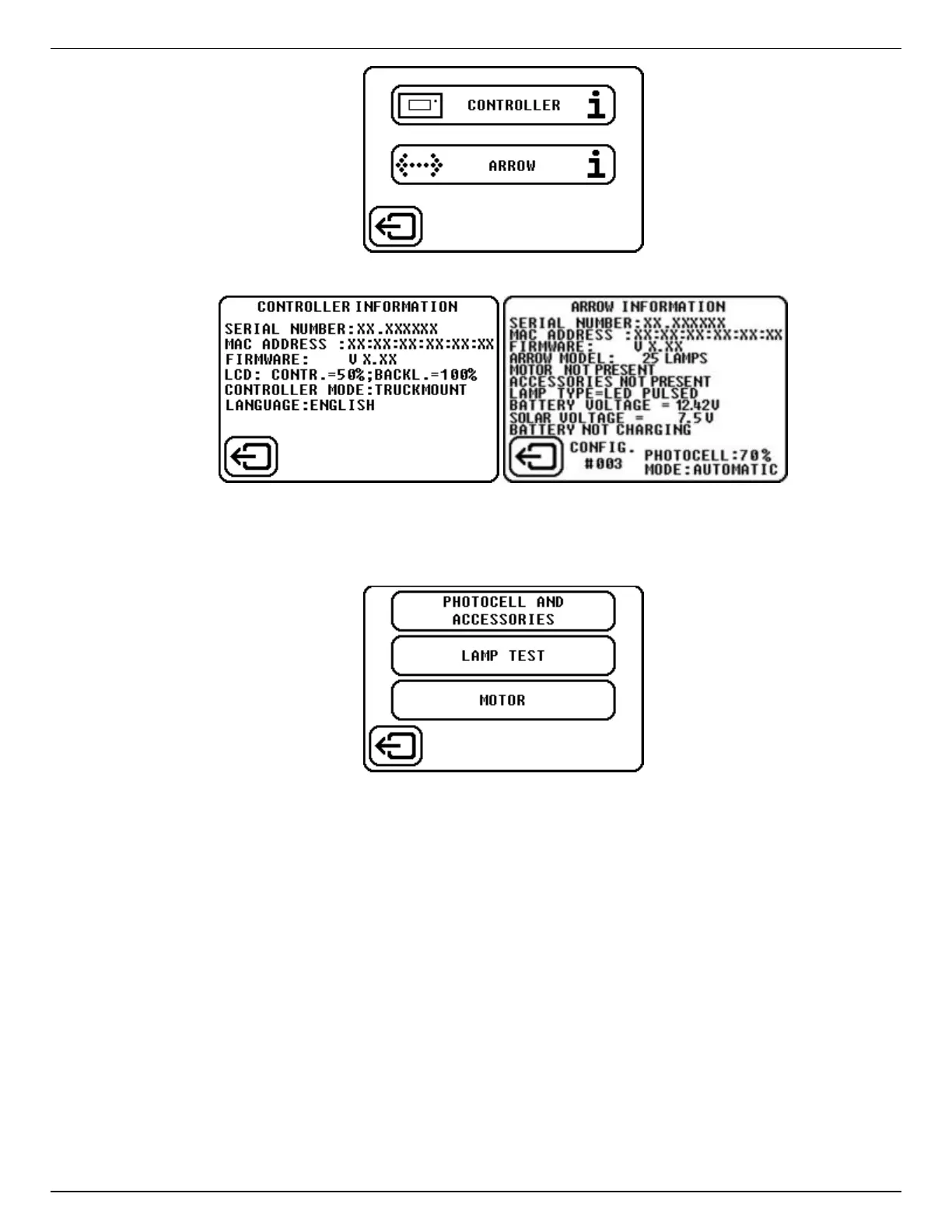
Figure 10: Information options
Figure 11: Controller and Arrow information
8.4.6 Arrow Settings
Figure 12: Arrow settings
The options displayed when you select the Arrow Settings button lets you:
Set the operating mode for the Photocell and link any optional Accessories
together.
Run a Lamp Test of all the LED lamps on the arrowboard panel.
Set the mode for the Motor of the power lift for the arrowboard to Automatic or
Manual.
8.4.7 Photocell and Accessories
Photocells adjust the brightness of the light output from the LEDs, according to changes in
the level of light in the surrounding area.


 To Next Page