Settings
Ver-Mac 2019 Arrowboard Operation, Safety and Maintenance Manual - 1 45
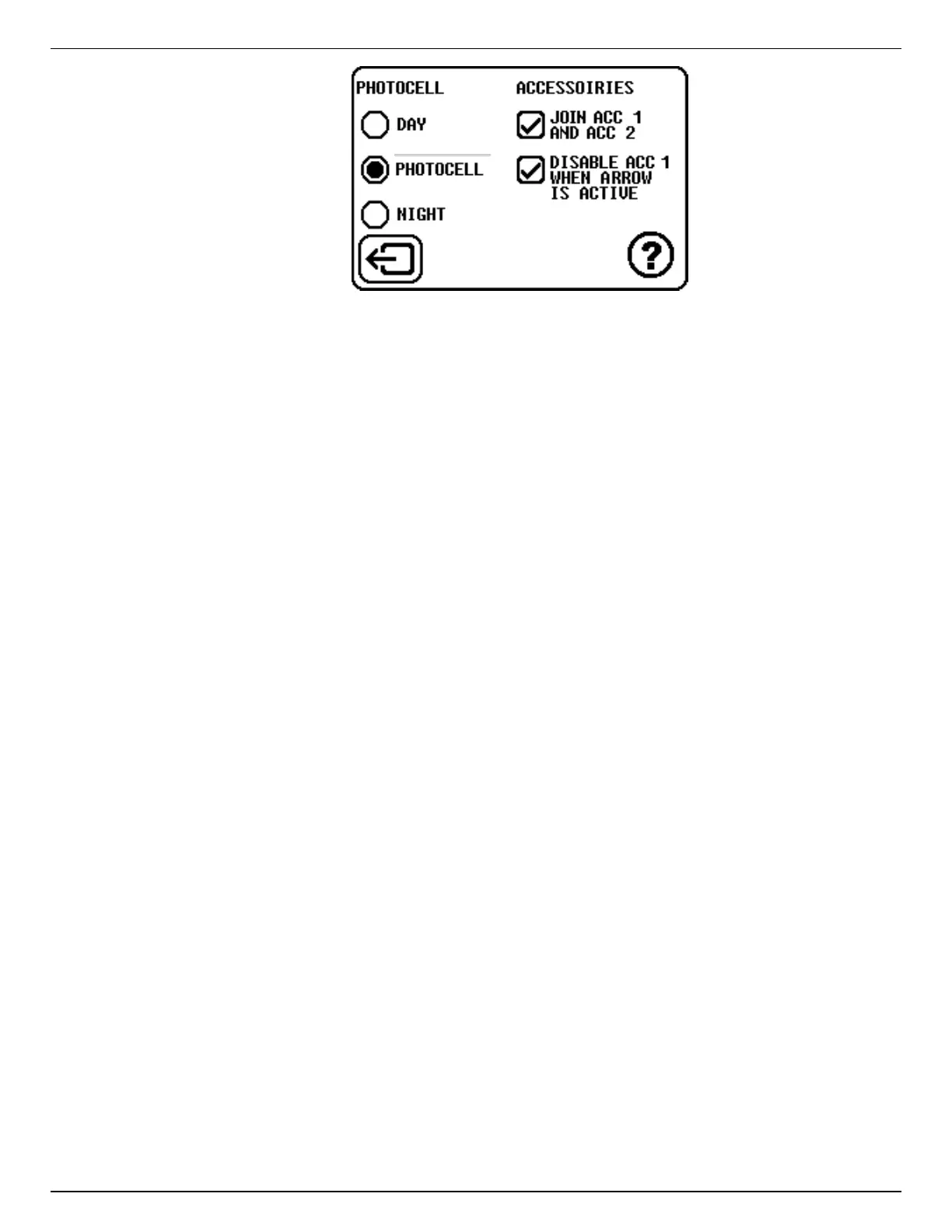
Figure 13: Photocell Mode and Accessories
The options displayed when you select the Photocell and Accessories button enable you
to select the Photocell Mode that you want from:
DAY–brightness is set to maximum.
PHOTOCELL–uses the photocell to set the brightness.
NIGHT–brightness is set to minimum to reduce glare and driver hazard.
The unit accessories can also be set in this screen.
If the unit has accessories, you can check the box JOIN ACC.1 AND ACC.2 and link
the accessories together.
If you wish the accessory 1 to be disabled when the arrow is in operation, check
Disable ACC1 when arrow is active.
Accessories
Accessories are optional devices purchased by the client. When there are accessories the
output from both together should not draw more than 10 amps in total.
Ver-Mac provides two cables for connecting accessories to the power supply. You can choose
to join the accessories together or to link just one to the controller. However, if you have only
one accessory you still must physically join both cables.
To power ON the accessories you:
Return to Main screen.
Tap ACC ON/OFF button and confirm (Yes).
The indicator changes to show ON.
To power OFF an accessory, tap ACC ON/OFF button and confirm (Yes).
Help
The Help button (?) displays a screen that explains how the Controller reacts to the Photocell
and Accessories settings that you selected.
8.4.7.1 Lamp Test
In the Lamp Test all the lamps on the arrowboard panel are lit up at maximum power so
that you can look at the panel and verify that all the LEDs are working correctly.


 To Next Page