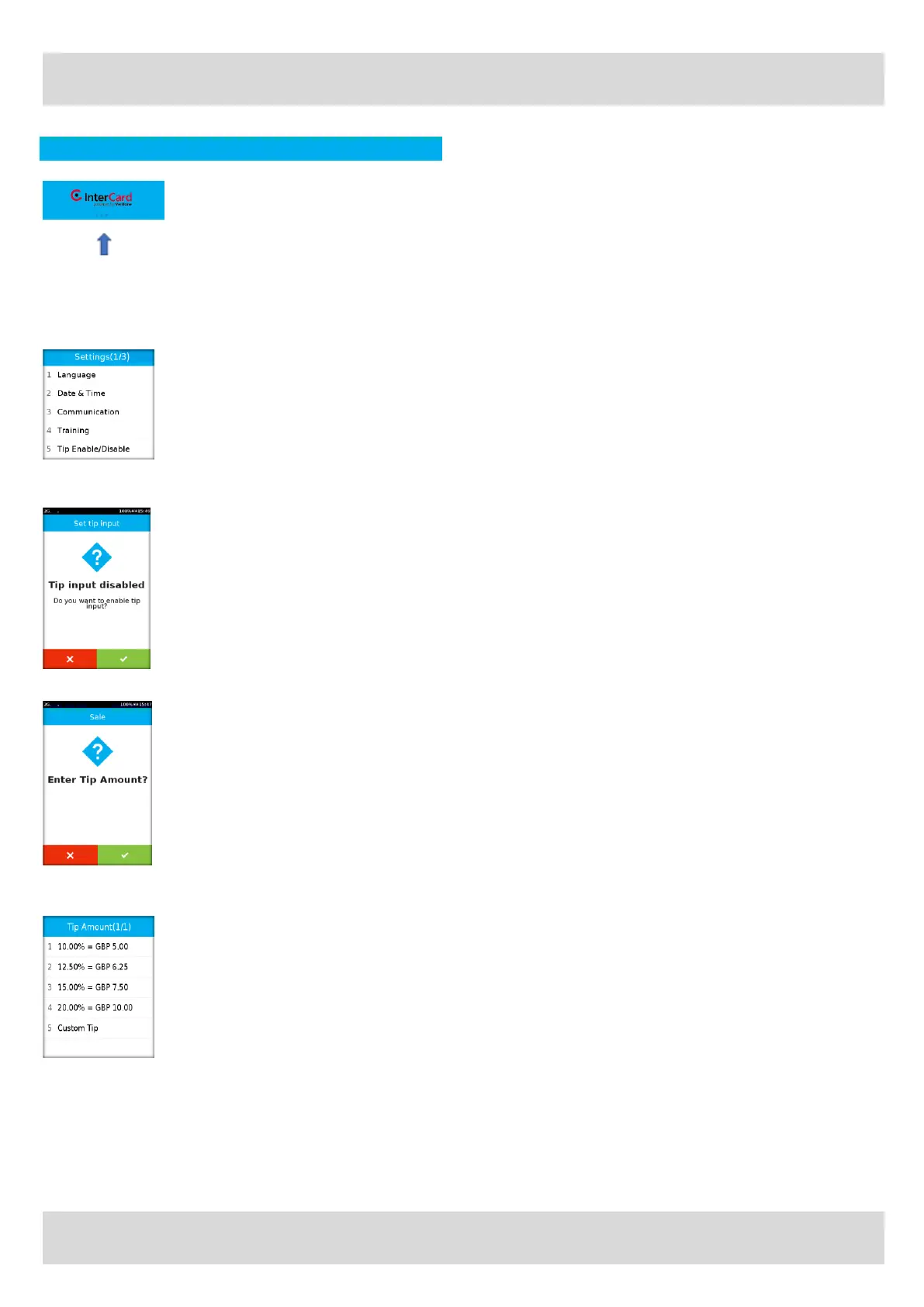
■ To enable Gratuity / Tips, press the 3 grey dots toward
the top of the screen.
■ Select Option 3 ‘Management’ on the Main Menu.
■ Select Option 2 ‘Settings’ on the Management Menu.
■ Enter the password.
■
Select option 5 ‘Tip Enable/Disable’.
■
Press the green key to enable Tips.
■
When conducting a Sale transaction, you will now be
prompted to enter a Tip amount.
■
Press the green key for yes or red key to progress
without a Tip.
■
Pre-configured Tip percentages are available.
■
Select an option and the press the green key to
confirm. The amount is added to the transaction total.
■
Select Option 5 for any other amount (up to a
maximum of 20% of the transaction value).
■
Enter the amount and press the green key to confirm.
The amount is added to the transaction total.
■
Insert, tap or swipe the card to complete the payment
process



 To Next Page