*The pre-authorisation cancel must be done on the same POS device that was
used to pre-authorise
**Ensure the authorisation code is entered correctly; if this code is incorrect,
the pre-authorisation cannot be cancelled
8. Pre-authorisation Cancel*
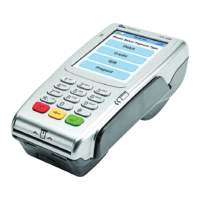
Press # for the transaction list and select ‘pre-authorisation cancel’
Enter supervisor ID and press enter
Enter supervisor PIN and press enter
Enter a valid waiter ID and press enter
Enter the table number and press enter
Enter the authorisation code** found on the customer’s receipt; this
code cannot contain any special characters (,.-+#*) or blanks
Pass the POS device to the customer who can either insert or
swipe his or her card (the card must be the same card as the
original pre-authorisation)
If prompted, the customer must enter his or her PIN followed by enter
Once the transaction is approved, the POS device will
print a customer and merchant copy of the receipt
Wait for the authorisation response
The POS device will return to the idle screen
STEP 7
STEP 1
STEP 2
STEP 3
STEP 4
STEP 5
STEP 6
STEP 8
STEP 10
STEP 9
STEP 11
4
RETAIL FORECOURT WORKSHOP VALUE ADDED SERVICESRESTAURANT










 To Next Page