EasyManua.ls Logo

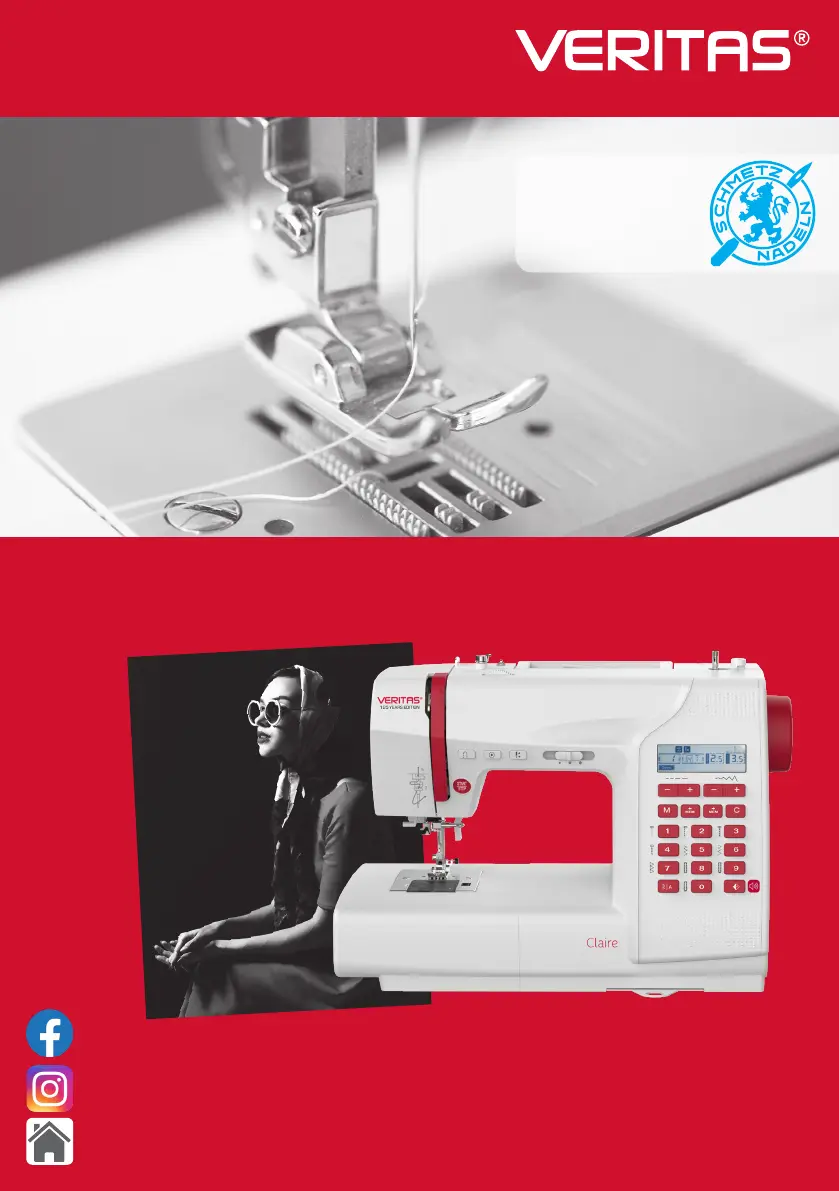
VERITAS Claire - User Manual

VERITAS Claire
80 pages
Print Icon
To Next Page IconTo Next Page
Loading...
www.facebook.com/veritassewing
www.instagram.com/veritassewing
www.veritas-sewing.com
Instruction manual
SCHMETZ INSIDE
Claire Adams
1898 - 1978
silent lm actress

Questions and Answers

  • A
    Andrea MeadowsAug 17, 2025
    Why does the upper thread keep breaking on my VERITAS Claire?
    • A
      Angela DavisAug 17, 2025
      The upper thread may break on your VERITAS Sewing Machine due to several reasons: * The machine might not be threaded correctly, so rethread it. * The thread tension may be too tight; reduce the thread tension (lower number). * The thread might be too thick for the needle; select a larger needle. * The needle may not be inserted correctly; remove and reinsert the needle with the flat side towards the back. * The thread could be wound around the spool holder pin; remove the reel and wind the thread onto it. * The needle might be damaged; replace it.
  • B
    bradykyleAug 20, 2025
    What to do if my VERITAS Claire Sewing Machine is skipping stitches?
    • C
      Christine KellyAug 20, 2025
      If your VERITAS Sewing Machine is skipping stitches, consider the following: * Ensure the needle is correctly inserted (flat side towards the back); reinsert it if necessary. * Replace the needle if it is damaged. * Use the correct size needle for the thread. * Check the foot is correctly attached and reattach if needed. * Rethread the machine.
  • E
    Emily HensleyAug 23, 2025
    Why is the needle breaking on my VERITAS Claire Sewing Machine?
    • C
      codybellAug 23, 2025
      A needle can break on your VERITAS Sewing Machine if the upper thread tension is too tight; loosen it. Also, ensure the machine is correctly threaded; check the threading.
  • D
    deborahdavidsonAug 25, 2025
    How to fix seam puckering on my VERITAS Sewing Machine?
    • K
      Kim HarrellAug 26, 2025
      Seam puckering on your VERITAS Sewing Machine can be caused by a few things: * The needle thread tension might be too tight; loosen the thread tension. * The needle thread may not be threaded correctly; rethread the machine. * The needle could be too heavy for the fabric; choose a needle suitable for the thread and fabric. * The stitch length might be too long for the fabric; shorten the stitch length. * If sewing thin fabric, use a stabilizer material underneath.
  • T
    Tracy WadeAug 28, 2025
    Why are the stitches loose on my VERITAS Claire Sewing Machine?
    • L
      lloydjoyceAug 28, 2025
      Loose stitches on your VERITAS Sewing Machine can occur if: * The bobbin case is not threaded correctly; thread the bobbin case as illustrated. * The needle, fabric, and thread combination is wrong; the needle size must suit the fabric and thread. * The thread tension is wrong; correct the thread tension.
  • E
    Eric HarmonAug 30, 2025
    What causes the lower thread to break on my VERITAS Sewing Machine?
    • E
      Eric BarberAug 30, 2025
      The lower thread on your VERITAS Sewing Machine may break if the bobbin case is not inserted correctly. Remove and reinsert the bobbin case and pull on the thread; the thread should run easily. Also, check both the bobbin and bobbin case to ensure they are threaded correctly.
  • V
    vazquezscottSep 2, 2025
    How do I prevent my VERITAS Claire from gathering or puckering the seam?
    • A
      April YoderSep 2, 2025
      To prevent seam gathering or puckering on your VERITAS Sewing Machine: * Select a finer needle if the current one is too thick for the fabric. * Readjust the stitch length. * Loosen the thread tension if it is too tight.
  • B
    Brittany PettySep 5, 2025
    Why are patterns distorted when I sew with my VERITAS Claire Sewing Machine?
    • C
      Cynthia MooneySep 5, 2025
      Distorted patterns on your VERITAS Sewing Machine can happen if the correct presser foot is not used; select the correct foot. Also, the needle thread tension might be too tight; loosen the thread tension.
  • M
    Martin OwenSep 8, 2025
    Why does my VERITAS Claire Sewing Machine make uneven stitches?
    • B
      Brandon JacksonSep 8, 2025
      Uneven stitches on your VERITAS Sewing Machine may be due to: * Poor quality thread; select a better quality thread. * The bobbin case being threaded incorrectly; remove the bobbin case and the thread and reinsert them correctly. * Pulling on the fabric; do not pull on the fabric while sewing, let it be taken up by the machine.
  • V
    vhenrySep 12, 2025
    What should I do if my VERITAS Claire jams?
    • M
      Maxwell JonesSep 12, 2025
      If your VERITAS Sewing Machine jams, it might be because thread is caught in the hook; remove the upper thread and bobbin case, turn the handwheel backwards and forwards, and remove any thread remnants. Also, the feed dogs could be packed with lint; clean the hook and feed dog.

Summary

Important Safety Instructions

Principal Parts of the Machine

Machine Accessories

Connecting the Machine

Sewing Table

Sewing Table Usage

Instructions on using the sewing table and its accessory box function.

Free-Arm Sewing

Winding the Bobbin

Inserting the Bobbin

Threading the Upper Thread

Using the Needle Threader

Replacing the Needle

Matching Needle, Fabric, and Thread

Presser Foot Lifter Operation

Changing the Presser Foot

Feed Dog Adjustment

Thread Tension Control

Understanding the LCD Screen

Stitch Chart Guide

Machine Operation Buttons

Start;Stop Button

Controls sewing start and stop; speed adjustable via lever.

Reverse Button

Enables reverse sewing or reinforcement stitches at low speed.

Auto-lock Button

Secures stitches with automatic locking stitches at the end of a pattern.

Needle Up;Down Position Button

Determines if the needle stops high or in the fabric.

Speed Adjustment Lever

Adjusts the sewing speed by sliding the lever left or right.

Memory Buttons and Functions

Memory Button

Enters memory mode to store and recall stitch combinations.

Arrow Buttons

Navigates through stitch patterns or pre-memorized stitch groups.

Clear Button

Deletes wrongly memorized stitches from a group.

Function Buttons for Stitch Control

Stitch Length Adjustment

Adjusts stitch length using '+' and '-' buttons for desired density.

Stitch Width Adjustment

Modifies stitch width using '+' and '-' buttons for desired pattern.

Mode and Needle Position Control

MODE Selection Button

Cycles through Direct, Patterns I, and Patterns II modes for stitch selection.

Needle Position Adjustment

Adjusts needle position left/right using stitch width buttons for straight stitches.

Mirror Function and Pattern Selection

Mirror Button

Mirrors selected stitches to create a reflection pattern.

Sound Button and Pattern Display

Sound Button

Turns the machine's sound alerts on or off.

Selection Buttons and Direct Stitching

Direct Stitch Selection

Selects utility patterns directly using dedicated buttons.

Number Buttons

Used for selecting patterns in various modes.

Selecting Stitches

Useful Sewing Skills

Sewing Corners

Techniques for sewing sharp corners by pivoting with the needle down.

Sewing Curves

Methods for smoothly sewing curved seams by adjusting direction.

Straight Stitching Techniques

Adjusting Straight Stitch Length

Modifying stitch length for straight stitches based on fabric and thread.

Changing Needle Position

Zig-zag Stitching

Adjusting Zig-zag Stitch Width

Controlling the width of zig-zag stitches for various effects.

Adjusting Zig-zag Stitch Length

Modifying the density of zig-zag stitches for different results.

Stretch Stitch Applications

Straight Stretch Stitch

Using a triple reinforcement stitch for stretch and hardwearing seams.

Zig-zag Stretch Stitch

Applying a triple zig-zag for firm fabrics like denim.

Sewing Stretch Fabrics with Elastic Tape

Overcasting Stitches

Using the Overcasting Foot

Employing the dedicated foot for neat overcasting.

Using the All-Purpose Foot

Performing overcasting with the standard all-purpose foot.

Blind Hem Sewing

Buttonhole Stitching

Buttonhole Stitch Types

Details on different buttonhole stitches for various fabrics and garment types.

Buttonhole Stitching Process

Step-by-step guide for selecting and sewing buttonholes.

Making Buttonholes on Stretch Fabrics

Techniques for creating buttonholes on stretchy materials using gimp thread.

Button Sewing

Darning Stitch

Zipper Insertion Techniques

Inserting a Centered Zipper

Step-by-step instructions for sewing centered zippers.

Inserting a Side Zipper

Detailed guide for sewing zippers on the side of a garment.

Satin Stitch Sewing

Gathering Fabric

Smocking Decorative Stitch

Free Motion Sewing (Darning, Embroidery, Monogramming)

Preparation for Free Motion

Setting up the machine by lowering feed dogs and removing the presser foot.

Darning Technique

Process for repairing holes or tears using free motion stitching.

Embroidery Technique

Steps for creating designs and filling them with stitches.

Monogramming Technique

Guidance for sewing lettering and monograms.

Quilting Techniques

Attaching Edge;Quilting Guide

Using a guide to maintain consistent seam allowances in quilting.

Fabric Joining and Patchwork

Joining Pieces of Fabric

Methods for sewing fabric pieces together with a specific seam allowance.

Patchwork Stitching

Techniques for sewing patchwork designs accurately.

Applique Technique

Applique Stitching

Steps for applying decorative fabric shapes using stitching.

Fagoting Stitch

Scalloping Stitch

Scallop Edging

Creating decorative scalloped edges on fabric.

Using the Memory Function

Combining Patterns or Letters

Storing and combining multiple stitches or characters in memory.

Adding Patterns or Letters to Memory

Adding new stitches or modifying existing ones in memory.

Clearing Patterns or Letters from Memory

Deleting specific stitches or patterns from the memory.

Recalling and Sewing Memorized Patterns

Retrieving and sewing stored stitch combinations from memory.

Warning and Alert Functions

Instruction Message Display

Interpreting LCD screen messages and symbols for guidance.

Bobbin Winding Indicator

Understanding the indicator for bobbin winding activation.

Warning Beeping Sounds

Understanding different beep signals for operation status and errors.

Bobbin Winder Spindle Warning

Alerts when the bobbin winder spindle is not in the correct position.

Machine Maintenance

Cleaning the Screen and Surface

Instructions for cleaning the machine's exterior and display.

Cleaning the Hook Mechanism

Procedure for cleaning lint and debris from the hook area.

Troubleshooting Guide

Product Disposal

VERITAS Claire Specifications

General IconGeneral
Needle ThreaderYes
Twin Needle CapabilityYes
Feed Dog DropYes
Warranty2 years
BobbinTop Loading

Related product manuals