Scheduling
Each VERITAS NetBackup class has a set of schedules to control its backups and archives. These schedules are part of the
class definition and each schedule for a class affects the entire list of clients and files in that class.
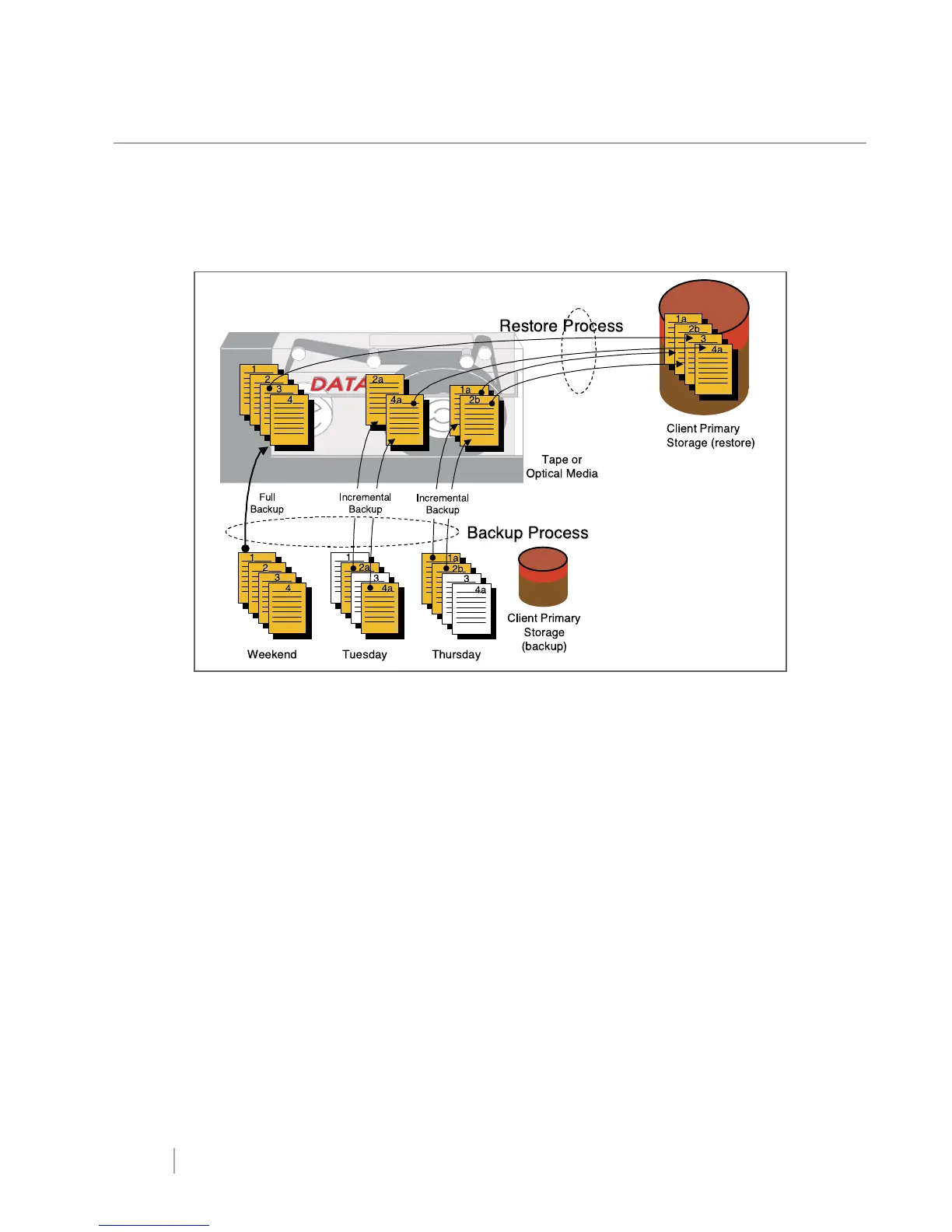
A typical schedule might call for a weekly full backup followed by incremental backups every other day, as illustrated in
Figure 12.
Figure 12: Full and incremental backup scheduling.
Among the attributes that the administrator specifies for each schedule are:
• Type of Backup — specifies the types of backups available to the type of class you are configuring. For example, most
UNIX clients will be in a standard class and you can select from full or incremental backup, user-directed backup, or
user-directed archive. The NetBackup incremental type backs up all files changed since the last backup (full or
incremental). The cumulative incremental type backs all files changed since the last full. The full or incremental backups
are started automatically by the NetBackup scheduler on the master server. User-directed backups and archives are
started by the user on the client system or can be script-driven.
• Start Time and Duration — specifies the backup window, which is the time period during which backups can occur
for this schedule. The start time defines the times and days of the week when the window opens. The duration defines
how long the window stays open. For example, the administrator could schedule automatic full backups to occur
during early morning hours on weekends, when the increase in network traffic will have the least effect on users.
• Frequency — specifies the period of time that will elapse until the next backup operation can begin on this schedule.
If, for example, the frequency is seven days and a successful full backup occurs on Wednesday, the next full backup
does not occur until the following Wednesday. The frequency can be set to a value that preserves all critical changes in
the files. If data changes often, the frequency can be short. For more stable files, the frequency can be longer.
Incremental backups will have a shorter frequency than full backups.
www.veritas.comPage
18
VERITAS NetBackup Release 3.4 Technical Overview



 To Next Page