2 Installation
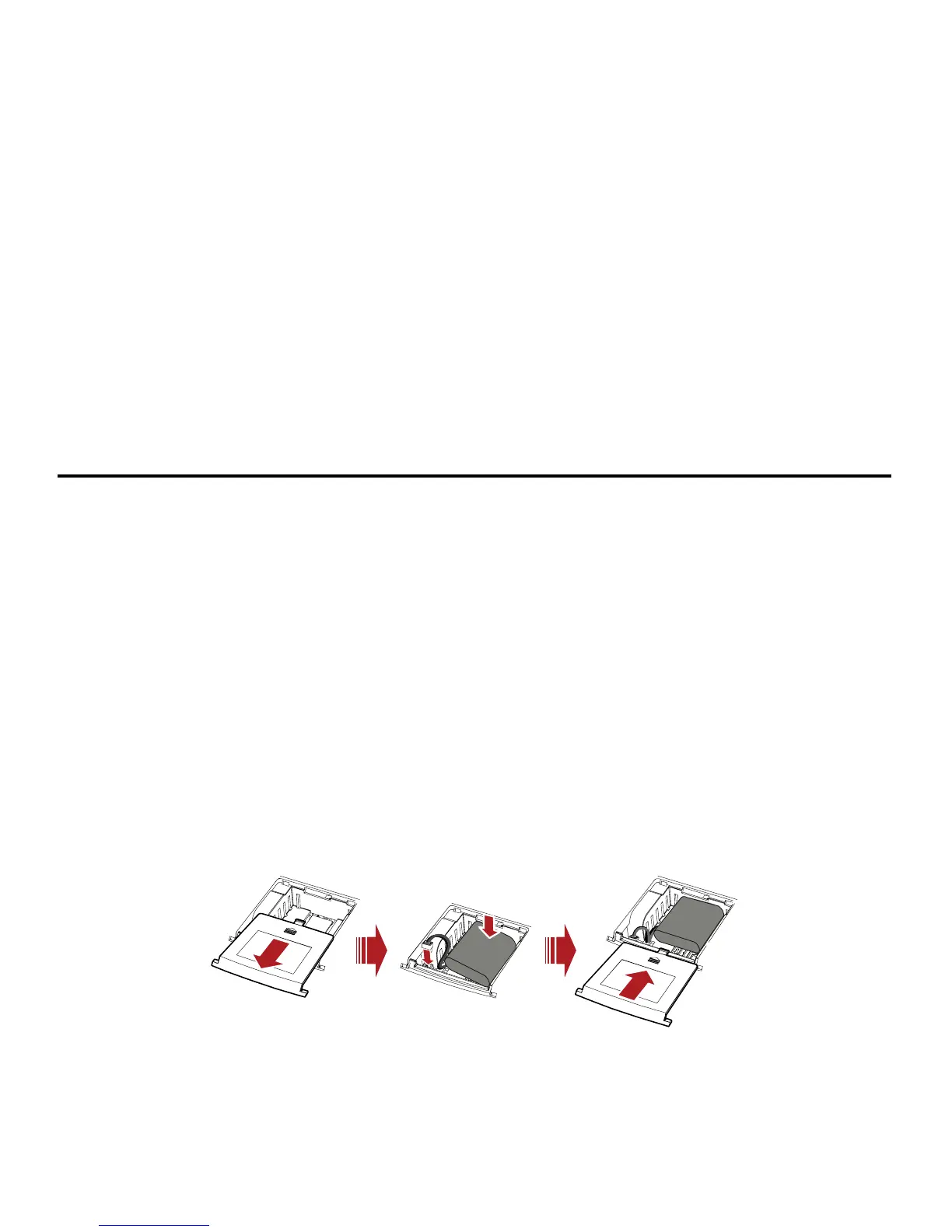
g the Battery Installin
Note:
utside of the
y e device will be unused for a period exceeding 2 weeks.
y rge fully. The charge time may be impacted by
ork environment.
Remove the batter y port. The
connection cable battery slot and
return the batter
y The system will stop charging the battery when the ambient temperature is o
temperature range allowed for charging (14
°F to 113°F).
y When the power adapter is connected, the battery will automatically charge.
y When fully charged, the battery will automatically stop charging.
Remove the battery if th
y The battery is intended for backup purposes only (in the event of a power failure).
The device takes 3.5 hours to cha
environmental factors.
y Talk time is about 2 hours and standby time is about 36 hours, but the actual values vary
with the netw
y cover. Carefully insert the battery connection cable into the batter
will click into place when correctly inserted. Place the battery in the
y cover.
4



 To Next Page