54
Add an ICE Contact
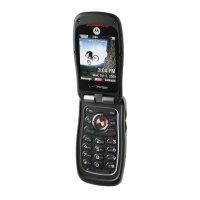
1. Slide the phone up and press the OK Key [MENU],
select Contacts and press the OK Key. Select In
Case of Emergency and press the OK Key.
2. Select Contact 1, Contact 2 or Contact 3 and press
the OK Key [ADD].
3. When selecting from ADD CONTACT, select From
Contacts and press the OK Key.
4. Select the desired contact entry and press the OK Key.
5. When adding a new contact, select New Contact and
press the OK Key.
6. Enter the contact information and press the OK Key
[SAVE].
7. The contact name will be displayed in place of
Contact 1, Contact 2 or Contact 3.
Add ICE Personal Info
1. Slide the phone up and press the OK Key [MENU],
select Contacts and press the OK Key. Select In
Case of Emergency then press the OK Key.
2. Select Personal Info and press the OK Key [VIEW].
3. Select Note 1, Note 2 or Note 3 and press the OK
Key [ADD].
4. Enter the information and press the OK Key [SAVE].
5. The information you entered now appears in place of
Note 1, Note 2 or Note 3.










 To Next Page