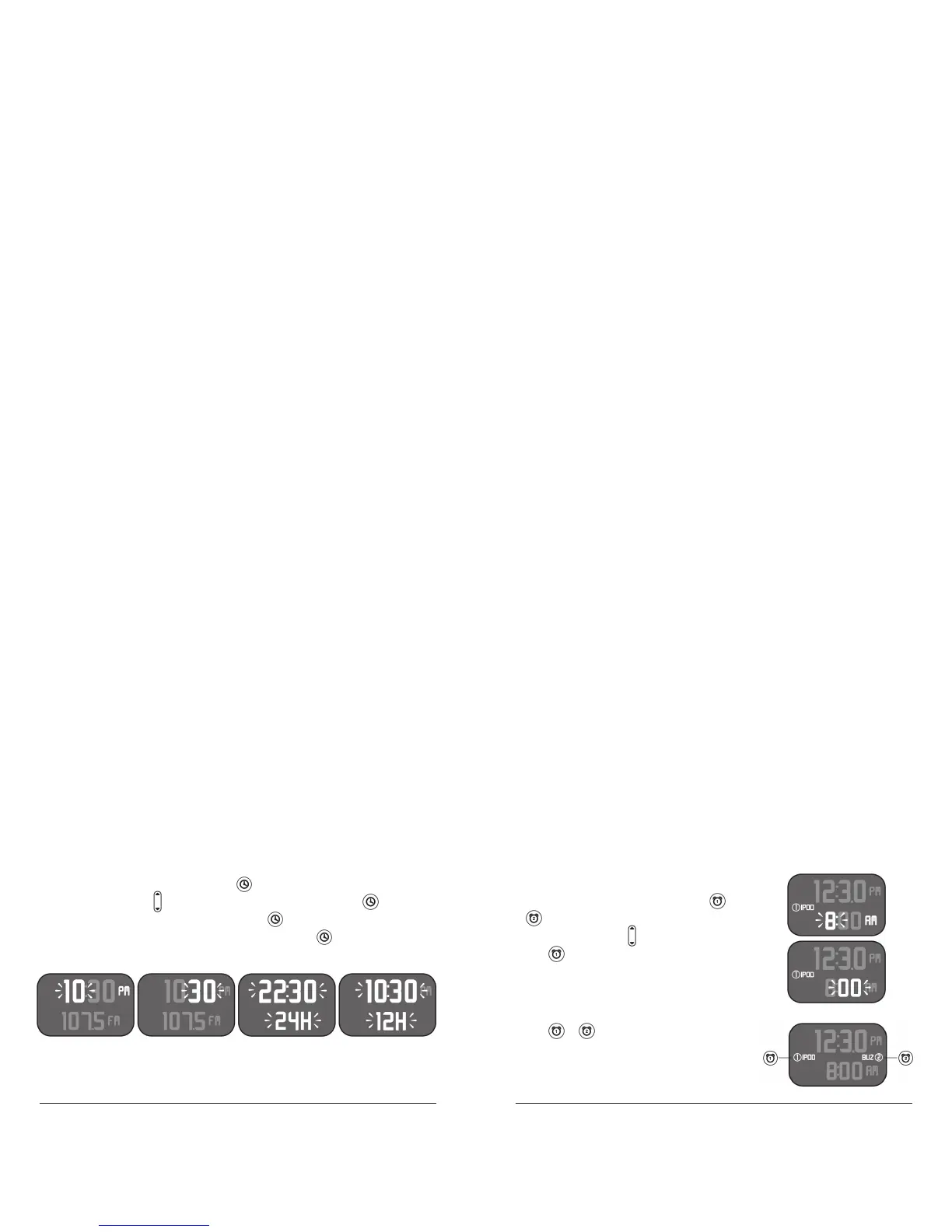
Setting the Clock
To set the time, press and hold the until the hour position begins
to blink (1). Use the to adjust to the correct hour, press again
to adjust to the correct minute (2), press again to adjust between
the 24 hour (3) or 12 hour (4) display mode. Press again or wait 5
seconds for the unit to set.
Setting the Alarm Time and Mode
To set the alarm time for either alarm setting 1
or 2, press and hold either alarm 1 or alarm
2 until the lower clock hour position begins
to blink (5). Use the to adjust the hours,
press again to adjust the minutes (6), wait 5
seconds for the unit to set.
To activate and choose the alarm mode
for either alarm 1 or alarm 2 settings,
press or to activate either alarm,
press again to cycle between IPOD, FM,
AM, Buzzer or off.
1
5
6
234



 To Next Page