PWC – 500/1000/1010/1500
PureWaterCooler
Copyright 2006 Vertex Water Products
5.0 Unplug power from wall
5.1 Drain water from cooler using front
spigots and by removing rear drain plug
5.2 Remove top cover (section 3)
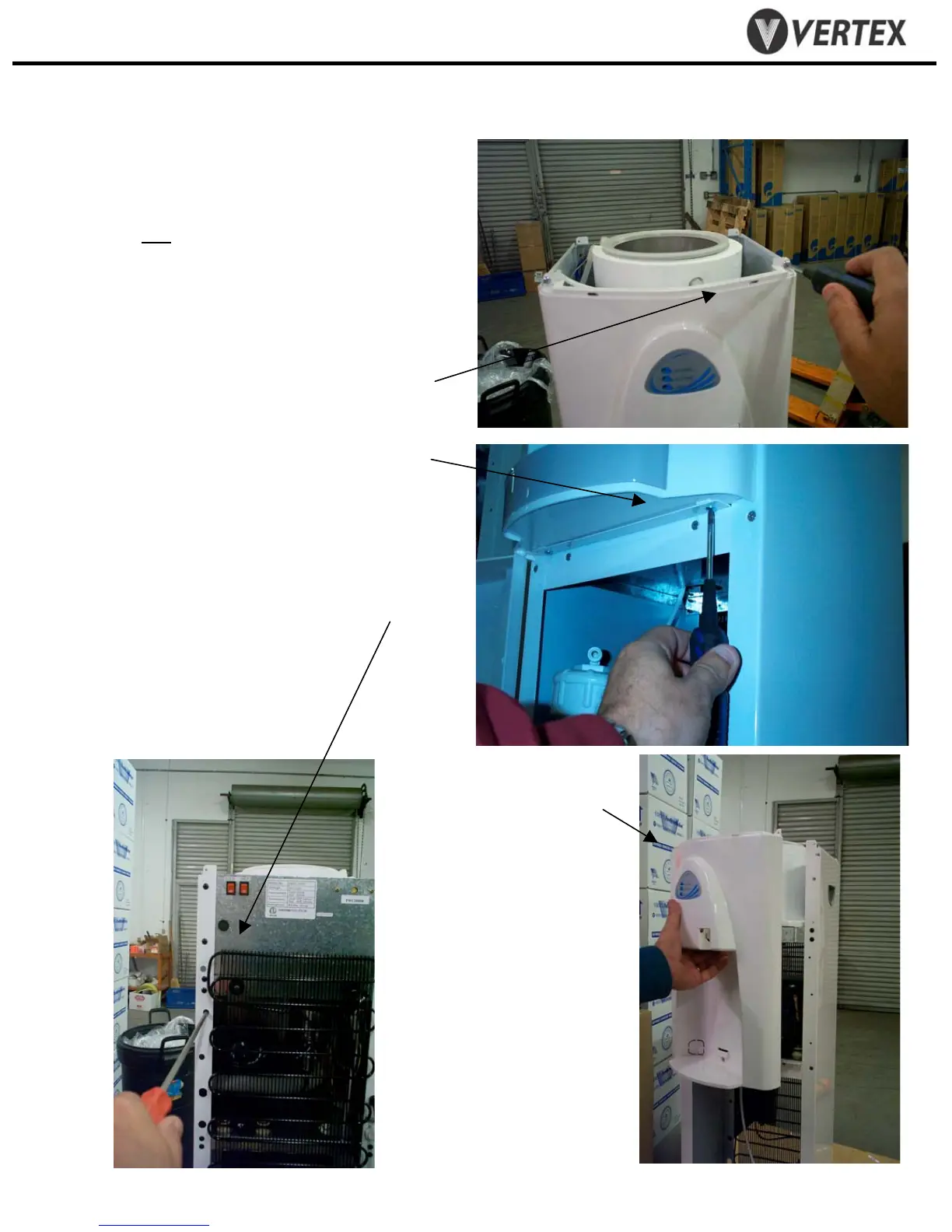
REMOVE FRONT PANEL
5.3 Remove 2 top screws from front of panel
5.4 Remove 2 screws from bottom of panel.
5.5 Remove 2 screws from back side of front
panel. Requires extra long Phillips-head
screwdriver.
5. Removing/Replacing Hot Tank
5.6 Hold front panel
in hand.


 To Next Page
 Loading...