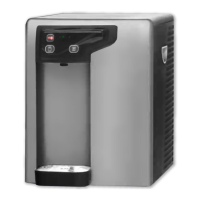
An indicator of a hot tank problem can also be the lights on the front
control panel. Below is a table of trouble shooting help.
If the Hot Tank is not heating and the front panel lights are:
Front Panel Lights
Cause Check
Hot Power – on Heating element disconnected No Continuity across
Heating - on or burned out heating element -
Replace Hot Tank
No lights at all Upper thermal sensor Reset Press reset button /
button disengaged or sensor NO Continuity across
burned out thermal sensor -replace
sensor
Hot Power – on Lower thermal sensor No Continuity across
Heating - off disconnected or burned out thermal sensor - replace
sensor
Trouble Shooting Cont.
No Hot Water from Hot Tank cont.


 To Next Page
 Loading...