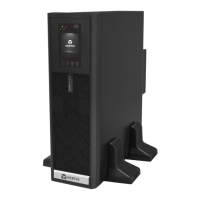
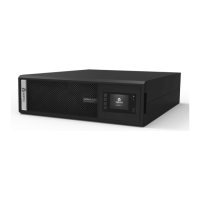
The Vertiv Liebert® ITON CX UPS is an uninterruptible power supply designed to provide backup power and surge protection for electronic devices. Available in 600VA and 1000VA models, this UPS is intended for use in a controlled environment, such as an office or home, and is not suitable for medical life-support equipment, microwave ovens, or vacuum cleaners.
Function Description
The primary function of the Liebert ITON CX UPS is to protect connected equipment from power disturbances, including outages, sags, surges, and fluctuations. It provides battery backup power during blackouts, allowing users to safely shut down their equipment or continue operations for a limited time. The UPS also features automatic voltage regulation (AVR) to stabilize incoming utility power, ensuring a consistent and clean power supply to connected devices.
Important Technical Specifications
Model Number: Liebert itON CX
Capacity:
- 600VA/360W (for the 600VA model)
- 1000VA/600W (for the 1000VA model, inferred from the 600VA/360W ratio)
Net Weight: 3 kg (for the 600VA model)
Dimensions (W x D x H): 3.98 x 10.98 x 5.6 inches (101 x 279 x 142 mm) for the 600VA model.
On-Line Input Voltage: 140-300VAC
On-Line Frequency: 50Hz (auto sensing)
Output Voltage (Utility Power Normal): 230VAC
Output Voltage (Battery Operation): +10% & -20%
On-Battery Wave Form: Stepped sinewave
Battery Type: 12.8V x 6 Ah x 1 (Li-ion) for the 600VA model.
Typical Recharge Time: 3 hours to 90%
Battery Run Time (1 PC Load): 45 minutes (for the 600VA model, actual run time may vary depending on load).
Operating Temperature: 32 to 104 °F (0 to 40 °C)
Storage Temperature: -4 to 122 °F (-20 to 50 °C)
Operating/Storage Relative Humidity: 0-90%, non-condensing
Usage Features
Front Panel:
- On/Off Button: A single button controls the power to the UPS.
- LED Indicator: A green LED provides status information:
- Solid Green: Normal mode.
- Flashing Green (every 10 seconds): Battery mode.
- Flashing Green (every 1 second): Battery low.
- Solid Green (every 0.5 second): Overload at normal mode.
- Flashing Green (UPS shuts down immediately): Overload at battery mode.
Rear Panel:
- AC Mains Inlet: For connecting the UPS to utility power.
- Circuit Breaker: Provides overload protection for the UPS.
- Battery Backup Outlets:
- CX 600VA model: 3 outlets.
- CX 1000VA model: 4 outlets.
These outlets provide power from the UPS battery during outages and are surge protected.
Audible Alarms:
- None: Normal mode.
- Every 10 seconds: Battery mode.
- Every 1 second: Battery low.
- Every 0.5 second: Overload at normal mode.
- UPS shuts down immediately: Overload at battery mode.
Setup and Operation:
- Unpacking: Inspect the package upon receipt and notify the carrier and dealer of any visible damage.
- Placement: Place the UPS in a protected area, away from direct sunlight, excessive heat, moisture, and flammable materials. Ensure proper ventilation and avoid blocking the ventilation slots.
- Charging: The UPS battery should be charged for at least 6 hours before initial use to ensure maximum backup time.
- Connection: Plug the AC input cord into a wall outlet. Connect devices to the battery backup outlets. For the 600VA model, it's recommended not to connect a printer or scanner to the UPS unit, as this may cause an overload. Small routers/modems (10W) are generally okay for multiple PC system setups.
- Power On: Turn on the UPS by pressing the On/Off button. The green LED will illuminate, indicating normal operation.
Maintenance Features
Battery Management:
- The UPS uses a Li-ion battery, which typically has a longer lifespan compared to traditional lead-acid batteries.
- The battery capacity may decrease over time, and the battery will eventually reach its end of life.
- If the UPS does not provide the expected backup time, the battery may need to be recharged or replaced.
- The typical recharge time for the battery is 3 hours to 90%.
Troubleshooting:
The manual provides a troubleshooting guide for common issues:
- Utility is normal, but LED is not illuminated:
- Possible Causes: Low battery capacity, end-of-life battery, UPS not turned on.
- Solutions: Recharge for 6 hours, replace battery, press On/Off button.
- Alarm buzzer beeps continuously although utility power is normal:
- Possible Cause: UPS overloaded.
- Solution: Disconnect some equipment.
- UPS does not provide expected backup time:
- Possible Causes: UPS overloaded, low battery voltage, end-of-life battery.
- Solutions: Disconnect some equipment, recharge for 6 hours, replace battery.
- Utility is normal, but LED flashes:
- Possible Cause: Power cord not connected properly.
- Solution: Connect power cord securely to a wall outlet.
Safety Precautions:
- General: Intended for installation in a controlled environment. Do not use in medical life-support equipment.
- Electrical Shock: Do not open the UPS casing. Refer servicing to qualified personnel.
- Overheating: Do not block ventilation slots.
- Battery: Do not dispose of batteries in fire. Batteries contain hazardous materials. Replace batteries with the same type and quantity.
- Liquid/Foreign Objects: Do not allow liquids or foreign objects to enter the UPS.
- Emergency: In case of emergency, press the OFF button and disconnect the AC power cord.
- Extension Cords/Surge Suppressors: Do not attach a power strip or surge suppressor to the UPS.
- Leakage Current: The UPS has a high leakage current. Ensure proper grounding.
- Battery Replacement: Refer to qualified personnel for battery replacement.
The Liebert ITON CX UPS is a reliable solution for protecting sensitive electronics from power disturbances, offering essential features for both home and office environments.

 Need help?









 To Next Page
 General