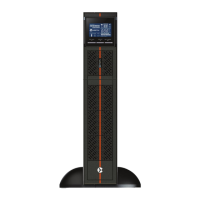
The Liebert GXT MT+ CX is an uninterruptible power supply (UPS) system designed to provide reliable power protection for various electronic devices. This installer/user guide outlines the essential information for its transportation, installation, operation, and maintenance, ensuring safe and optimal performance.
Function Description
The primary function of the Liebert GXT MT+ CX UPS is to supply pure and stable AC power to connected loads, even during power outages or fluctuations. It achieves this by operating in several modes, including online mode, battery mode, ECO mode, and frequency converter mode. In online mode, the UPS continuously provides regulated AC power while simultaneously charging its internal batteries. During a power failure or when the input voltage is outside the acceptable range, the UPS seamlessly switches to battery mode, drawing power from its internal current source to maintain continuous operation for connected devices. The ECO mode, or energy-saving mode, allows the UPS to bypass the inverter and directly supply utility power to the output when the input voltage is within a specified regulation range, thereby reducing energy consumption. For applications requiring a constant output frequency, the frequency converter mode enables the UPS to convert input power to a fixed output frequency (either 50 Hz or 60 Hz), while still charging the battery.
The UPS is equipped with an intuitive LCD panel that provides real-time information about its operational status, including input and output voltage, frequency, battery voltage, load level, and internal temperature. It also displays fault and warning indicators, along with corresponding codes, to alert users to potential issues. Audible alarms further enhance user awareness, signaling events such as battery mode, low battery, overload, and system faults.
Usage Features
Installation and setup of the Liebert GXT MT+ CX are straightforward, with clear instructions provided for connecting the UPS to the AC input and output receptacles or terminals. Users are advised to avoid overloading the UPS with high-power appliances like laser printers and to ensure all cables are placed safely to prevent tripping hazards. For communication and monitoring, the UPS features USB and RS-232 communication ports, as well as an intelligent slot for optional SNMP or AS400 cards. These ports allow for unattended UPS shutdown/start-up, status monitoring, and advanced communication options when used with the provided monitoring software. The software, ViewPower, can be installed from a CD or downloaded from the manufacturer's website, offering comprehensive control and oversight of the UPS system.
The front panel includes three main buttons: ON/Mute, OFF/Enter, and Select, each serving multiple functions. The ON/Mute button powers on the UPS, mutes alarms, acts as an "Up" key in setting mode, and initiates a self-test. The OFF/Enter button turns off the UPS, confirms selections in setting mode, and can put the UPS in standby or bypass mode. The Select button cycles through LCD messages, enters setting mode (when held for 5 seconds), and acts as a "Down" key. A combination of ON/Mute and Select buttons allows the UPS to switch to bypass mode under normal main power conditions.
The UPS offers several customizable settings through its LCD panel, including output voltage (200Vac, 208Vac, 220Vac, 230Vac, 240Vac), frequency converter enable/disable, output frequency (50Hz or 60Hz for battery and converter modes), ECO mode enable/disable, bypass enable/disable, autonomy limitation (backup time in minutes), and battery total AH setting. These settings allow users to tailor the UPS operation to their specific power requirements and preferences.
Maintenance Features
The Liebert GXT MT+ CX is designed with user safety and ease of maintenance in mind. The manual emphasizes the importance of proper transportation, using the original packaging to protect against shock and impact. During installation, it's crucial to ensure the UPS is placed in a dry environment, away from direct sunlight, heaters, and obstructions to ventilation holes. The UPS should only be connected to an earthed, shockproof outlet that is easily accessible.
For maintenance and service, the manual provides strict warnings regarding hazardous voltages and the risk of electric shock. Repairs should only be carried out by qualified maintenance personnel. Before any service, batteries must be disconnected, and it must be verified that no current or hazardous voltage exists. Battery replacement should be performed by adequately familiar persons, using the same number and type of batteries. Precautions such as removing metal objects and using insulated tools are advised when working with batteries. Batteries should not be burned or opened, as escaping electrolyte can be toxic. Fuse replacement must be done with the same type and amperage to prevent fire hazards. The UPS system should not be dismantled by unauthorized personnel.
For storage, the UPS should be fully charged for 5 hours before being placed in a cool, dry location. Regular recharging is recommended during storage, with specific intervals (every 3 months for -25°C to 40°C, and every 2 months for 40°C to 45°C) and durations (1-2 hours) to maintain battery health. The UPS system contains no user-serviceable parts, and if the battery service life (typically 3-5 years at 25°C ambient temperature) is exceeded, the batteries must be replaced by contacting the dealer. Spent batteries should be delivered to a recycling facility or returned to the dealer using the replacement battery packing material. The manual also includes a troubleshooting section to help users diagnose and resolve common issues, such as no indication/alarm, battery faults, overloads, and internal UPS faults, providing possible causes and recommended remedies.



 To Next Page
 General