EasyManua.ls Logo

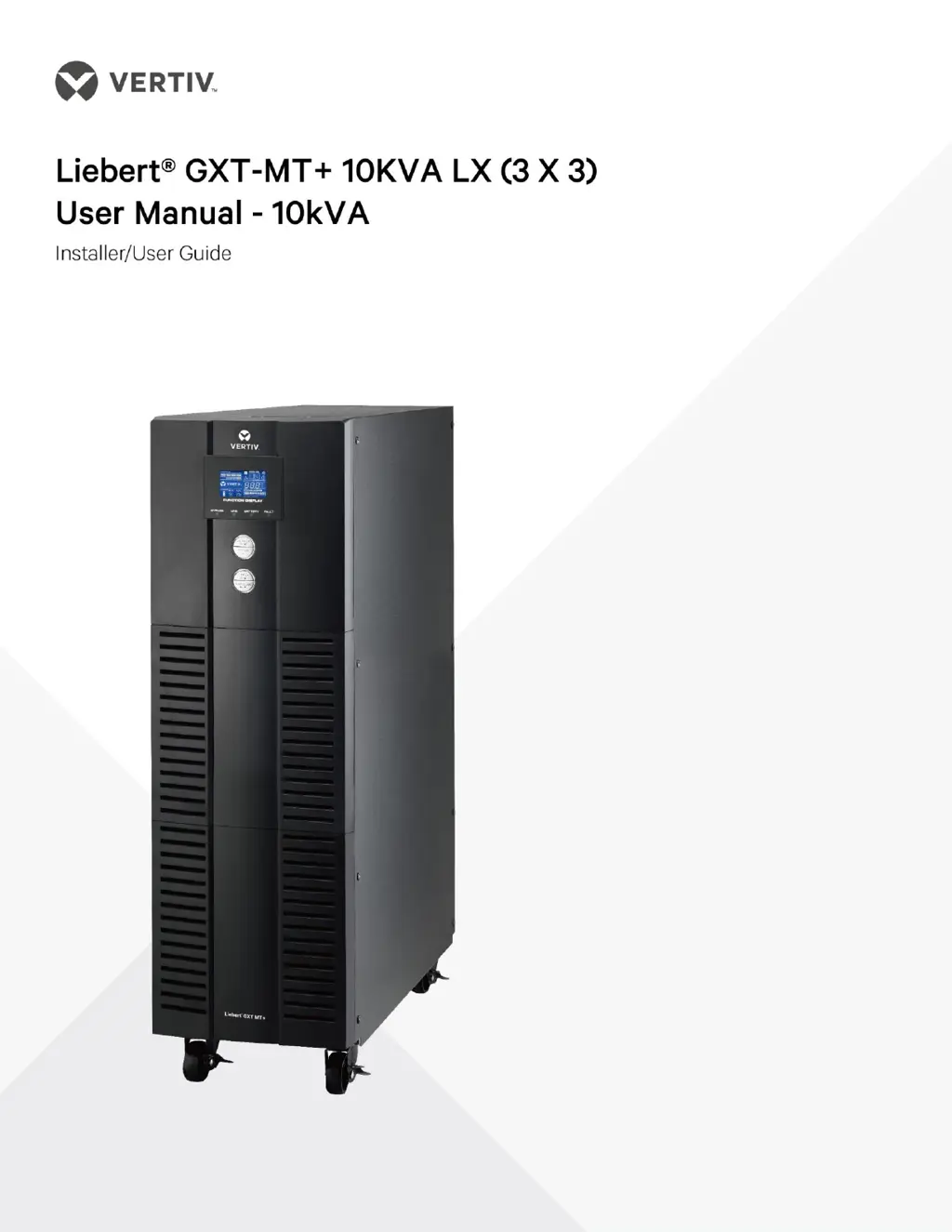
Vertiv Liebert GXT-MT+10KVA - User Manual

Vertiv Liebert GXT-MT+10KVA
37 pages
Print Icon
To Next Page IconTo Next Page
Loading...

Questions and Answers

  • A
    Amy PenningtonAug 2, 2025
    What to do if my Vertiv UPS beeps twice and the icon flashes?
    • M
      Melissa MaciasAug 2, 2025
      This indicates an overload on your Vertiv UPS. To resolve this, remove some of the connected devices from the UPS output to reduce the load. If the UPS has been repeatedly overloaded, it may be locked in Bypass mode, feeding devices directly from the mains. In this case, first remove excess loads, then shut down and restart the UPS.
  • C
    Charles JimenezAug 6, 2025
    How to disable EPO function on Vertiv Liebert GXT-MT+10KVA?
    • S
      Stephanie RasmussenAug 6, 2025
      The warning code ‘0b’ on the LCD display of your Vertiv UPS, accompanied by a beeping alarm, indicates that the EPO (Emergency Power Off) function is activated. This is because the EPO switch is in the “OFF” status or the jumper is open. To disable the EPO function, set the circuit in a closed position.
  • T
    Tracy WilsonAug 11, 2025
    What to do if Vertiv Liebert GXT-MT+10KVA shows fault code 14?
    • R
      Robert WhiteAug 11, 2025
      Fault code 14 on your Vertiv UPS indicates a short circuit on the UPS output. You should check the output wiring and verify if any of the connected devices are in a short circuit state.
  • E
    elizabethloganAug 15, 2025
    Why is the Vertiv UPS battery backup time so short?
    • P
      pachecomadisonAug 15, 2025
      If the battery backup time of your Vertiv UPS is shorter than expected, it could be due to a couple of reasons. First, the batteries might not be fully charged. Charge them for at least 7 hours and then check their capacity. Alternatively, the batteries may be defective.
  • D
    Daniel MurphyAug 19, 2025
    What does fault code 43 mean on my Vertiv Liebert GXT-MT+10KVA UPS?
    • B
      Bruce KellySep 12, 2025
      Fault code 43 on your Vertiv UPS means the unit has been overloaded for too long, resulting in a fault and automatic shutdown. To fix this, remove some of the connected devices to reduce the load on the UPS and then restart it.
  • G
    gravesjulieAug 23, 2025
    What does warning code 02 mean on a Vertiv Liebert GXT-MT+10KVA UPS?
    • R
      richard61Aug 23, 2025
      Warning code 02 on your Vertiv UPS indicates that the input neutral wire is disconnected or that the L2 or L3 input fuse is broken. Check and correct the input neutral connection. If the connection is okay and the alarm persists, refer to the LCD setting section to enter the neutral loss check menu to see if the parameter3 is “CHE”, if it is, please press the “Enter” key firstly to make the “CHE” flash and press the “Enter” key secondly to make the UPS clear the alarm. If the warning still exists, check input fuses of L2 and L3. If the L2 or L3 input fuse is broken, replace the fuse.
  • A
    acarlsonAug 28, 2025
    How to fix no display on Vertiv Liebert GXT-MT+10KVA?
    • D
      Dr. Lauren Young DDSAug 28, 2025
      If there is no display or alarm on the front panel of your Vertiv UPS, even when the mains power is normal, the AC input power may not be properly connected. Check to ensure the input cable is firmly connected to the mains.

Summary

Safety and EMC Instructions

Transportation and Storage

Guidance on safely transporting and storing the UPS system to prevent damage.

Preparation

Instructions for preparing the UPS installation environment and the unit itself.

Installation

Essential safety precautions and requirements for installing the UPS unit.

Connection Warnings

Critical warnings regarding electrical connections, earthing, and potential hazards.

Operation

Guidelines for operating the UPS system safely and correctly.

Standards

List of relevant safety and EMC standards the UPS complies with.

Installation and Operation

Unpacking and Inspection

Steps for unpacking the UPS and verifying package contents for damage.

Rear Panel View

Diagram and description of connectors and components on the UPS rear panel.

Single UPS Installation

Detailed instructions for installing a single UPS unit, including wiring.

UPS Installation for Parallel System

Instructions for installing multiple UPS units in a parallel configuration.

Software Installation

Guide for installing UPS monitoring software for system protection and configuration.

Operations

Button Operation

Explanation of the functions of each button on the UPS control panel.

LED Indicators and LCD Panel

Description of front panel LEDs and LCD display for monitoring UPS status.

Audible Alarm

Details on audible alarms, their descriptions, buzzer status, and muting.

Single UPS Operation

Step-by-step guide for operating a single UPS unit under various power conditions.

Battery Charging

Instructions and recommendations for charging the UPS batteries for optimal performance.

Battery Mode Operation

How the UPS operates in battery mode, including alarms and backup time.

Battery Testing

Procedure for performing a battery self-test on the UPS.

UPS Shutdown Procedures

Steps for safely turning off the UPS under different operating conditions.

Muting the Buzzer

Instructions on how to mute the UPS audible alarms.

Warning and Fault Handling

Guidance on interpreting and managing UPS warning indicators and fault conditions.

Battery Configuration

Instructions for technicians to change the number of batteries connected to the UPS.

Input Voltage Range Setting

Details on adjusting input voltage ranges via the OVCD board settings.

Parallel Operation

Parallel System Initial Startup

Steps for the initial setup and startup of a UPS parallel system.

Adding Units to Parallel System

Procedure for adding a new UPS unit to an existing parallel system.

Removing Units from Parallel System

Methods for safely removing a UPS unit from a parallel system.

LCD Display and Settings

LCD Display Abbreviations

Glossary of abbreviations displayed on the UPS LCD screen.

LCD Main Interface

Overview of the main display screens and information shown on the LCD.

Setting Menu Navigation

Instructions for entering and exiting the UPS setting menu via the LCD.

Trouble Shooting

Storage and Maintenance

Storage

Recommendations for storing the UPS system, including temperature and recharge frequency.

Maintenance

Important safety precautions and procedures for maintaining the UPS system.

Specifications

Vertiv Liebert GXT-MT+10KVA Specifications

General IconGeneral
ModelLiebert GXT-MT+ 10KVA
TypeOnline Double Conversion
Output Power Factor0.9
Form FactorTower
Capacity10 kVA
Input Voltage220/230/240 VAC (Single Phase)
Output Voltage220/230/240 VAC (Single Phase)
Input Frequency50/60 Hz
Output Frequency50 Hz or 60 Hz ± 0.1%
EfficiencyUp to 94%
Battery TypeSealed Lead Acid (SLA)
RuntimeVaries based on battery configuration
Communication InterfaceRS232, USB, SNMP
Operating Temperature0°C to 40°C

Related product manuals